
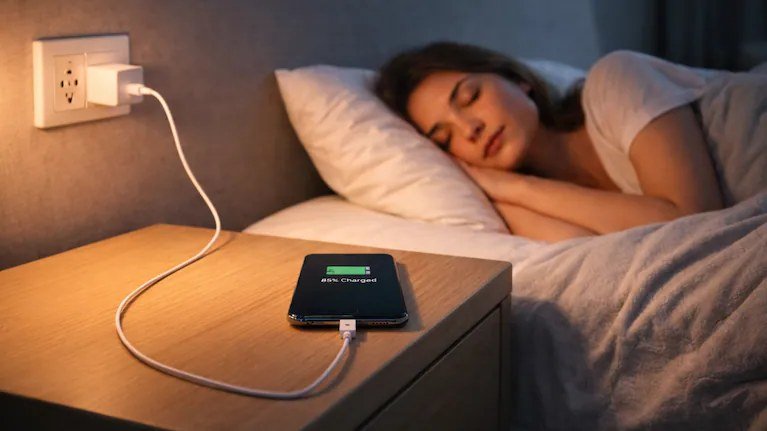
Why is my phone battery draining so fast overnight — it’s one of those questions that sounds simple until you actually need the answer. I’ve been down this road myself, and what I learned is that the real answer depends on a few details most people overlook. Let me walk you through what actually matters, what it typically costs or involves, and how to avoid the traps that catch everyone else.
The short version: there’s no single magic number or one-size-fits-all fix, but once you understand the moving pieces, the decision gets a lot easier. Below is everything I wish someone had told me upfront — the honest breakdown, the practical steps, and the mistakes worth dodging.
Why is my Phone Battery Draining so Fast Overnight: What You Need to Know
Waking up to a phone that’s lost 30 percent overnight — while you weren’t even using it — feels like a betrayal. A healthy phone should lose maybe 5 to 10 percent over eight hours of standby. If yours is dropping much more than that, something specific is draining it, and it’s almost always one of a handful of culprits you can identify tonight.
The most common offender is poor cellular signal. When your phone struggles to hold a signal — say, in a basement bedroom or a rural area — the radio boosts its power to compensate, and that burns battery fast. Check your signal bars before bed; if you’re at one or two bars, try enabling Wi-Fi calling or switching on airplane mode with Wi-Fi left on. Many people see overnight drain drop by half from this one change. If that sounds familiar, you may also want our guide to How Much Does it Cost to Replace a Macbook Battery.
Looking Closer at Your Options
Next suspect: background app refresh run amok. On iPhone, go to Settings, then Battery, and look at the last 24 hours — it’ll show exactly which apps used power in the background. On Android, check Settings, then Battery, then Battery usage. One misbehaving app — often a social media app stuck syncing, or a navigation app that never quite closed — is frequently responsible for the bulk of the drain. Restrict its background activity or delete it. You can also check Consumer Reports’ buying advice for the authoritative details.
Your battery’s health itself could be the issue. iPhones show Maximum Capacity under Settings, then Battery, then Battery Health. Below 80 percent, Apple considers the battery worn, and worn batteries don’t just hold less charge — they also drain less predictably. Android phones vary, but most show battery health under Settings, then Battery. A two-to-three-year-old phone with heavy use is a prime candidate for a battery that’s simply tired.
Smart Moves to Make Now
- Normal overnight drain: 5–10%. Losing 20%+ means something specific is wrong.
- Check battery usage stats (last 24h) to find the exact app responsible.
- Poor cellular signal is the #1 hardware cause — use Wi-Fi calling or airplane+Wi-Fi mode.
- iPhone battery health below 80% means the battery is worn and due for replacement.
- Set 5G to Auto (iPhone) or prefer LTE in weak-signal areas.
- Let new OS updates settle 1–2 days before judging battery impact.
Here’s What Really Matters
Software is the quiet fourth culprit. A recent OS update can temporarily increase drain for a day or two while the system re-indexes everything — that usually settles on its own. But if drain started right after an update and never stopped, check for a follow-up patch; Apple and Google both ship battery-fix updates regularly. Also make sure you’re not on a beta version, which are notoriously power-hungry.
Then there’s the 5G factor. If your phone constantly hunts between 5G and LTE in a marginal coverage area, the radio never rests. On iPhone, Settings, then Cellular, then Cellular Data Options lets you choose 5G Auto, which drops to LTE when 5G isn’t helping. On Android, similar settings live under network preferences. In weak-signal areas, forcing LTE overnight can save meaningful battery. For more on this topic, see How Much Does a Basic Home Security Camera System Cost — it pairs well with what you just read.
Tonight’s action plan: charge to 100 percent, note the battery stats screen, then before bed turn on Do Not Disturb, enable Wi-Fi, and if signal is weak, airplane mode with Wi-Fi on. In the morning, check which apps consumed power overnight. That single night of detective work identifies the culprit in the vast majority of cases — and most fixes take under two minutes.
Common Mistakes to Avoid
- Force-closing every app nightly — this actually wastes battery, since reopening apps costs more power than leaving them suspended.
- Charging to 100% and leaving it plugged in all night every night for years; modern phones manage this better, but optimized-charging settings still help longevity.
- Blaming the battery when a single rogue app is the real drain — always check usage stats first.
- Installing a ‘battery saver’ app, which typically drains more power than it saves through constant background activity.
Questions People Ask
Is it bad to charge my phone overnight?
Modern phones stop charging at 100% and trickle to maintain, so it’s not the disaster it once was. Enable optimized charging (iPhone) or adaptive charging (Android) to reduce time spent at full charge, which does wear batteries faster.
Why did my battery suddenly get worse after an update?
Post-update indexing and re-syncing temporarily increases drain for 24–48 hours. If it persists beyond that, check for a follow-up patch or look for an app misbehaving with the new OS.
Should I replace the battery or the phone?
If the phone is otherwise fine and under 3–4 years old, a $69–$99 battery replacement is far cheaper than a new phone. Replace the phone only if it’s also struggling with performance or missing features you need.
The Bottom Line
Overnight drain beyond 10 percent is diagnosable: check battery stats for rogue apps, fix weak-signal strain with Wi-Fi calling or airplane mode, and check battery health for wear. One night of observation plus a two-minute settings change resolves it for most people — no new phone required.
Worth reading next: Is Cloud Storage Safer Than an External Hard Drive.
The takeaway is simple — know your options before you’re forced to pick one under pressure. Bookmark this guide, follow the action plan, and you’ll handle it like a pro.



