
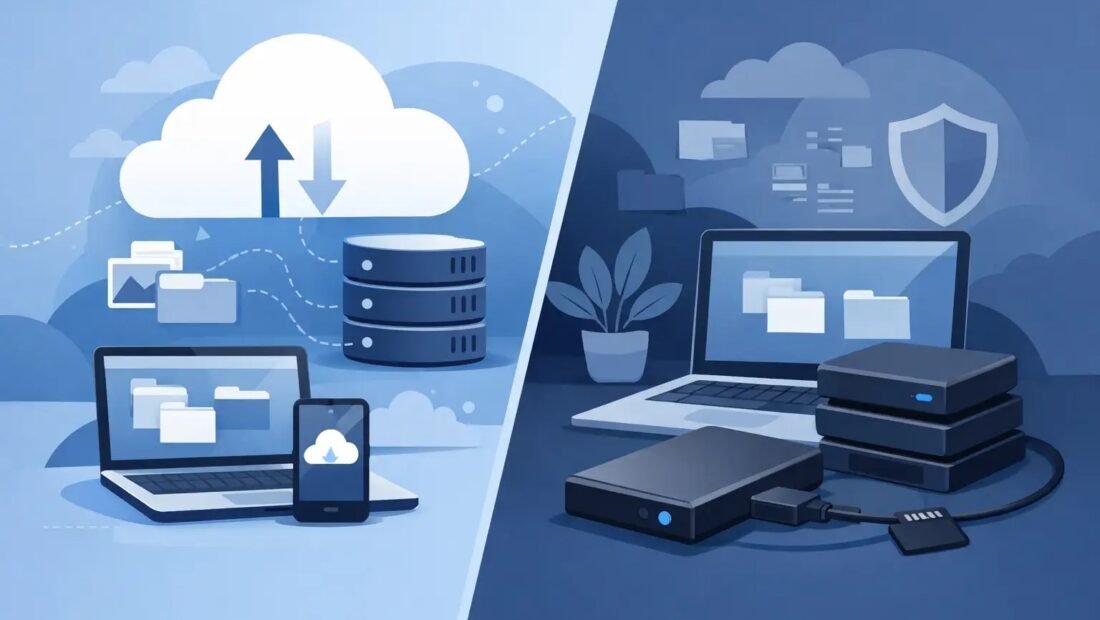
Try a harsh little thought experiment. Your house burns down tonight — everyone safe, but everything in it gone. In the morning, which of your photos, documents, and files still exist? If the honest answer is “whichever ones happened to be in the cloud,” you already know more about this comparison than most people who argue about it. And if the answer is “none, they’re all on that drive in the desk,” you know the other half.
“Which is safer, cloud storage or an external hard drive?” sounds like a contest with one winner. It is actually two different lists of ways to lose your data, and they barely overlap. Safety depends on which list scares you more.
How an external hard drive loses your data
The drive itself is the first suspect. Hard drives are mechanical devices with spinning platters and moving arms, and their average working lifespan is about three to five years of regular use. Worse than the lifespan is the manner of death: drives often fail suddenly and completely, working at breakfast and unreadable by lunch, sometimes with warning noises and sometimes with none. A copy of your life on a single drive is a copy with an expiry date you cannot read.
Then there is geography. A drive protects your data from the internet and nothing else. It sits in the same house as the computer it backs up, exposed to the same fire, the same flood, the same burglar — who will happily take the backup drive along with the laptop, since they sit side by side. Drops and knocks round out the list; a drive that falls off a desk mid-spin may never read again.
What the drive never does is betray you remotely. Nobody can hack it, lock you out of it, or delete its contents from another continent. Plugged in, it is yours alone. Unplugged and stored, it is about as private as data gets.
How cloud storage loses your data
The cloud inverts every one of those risks. Your files sit in professional data centers, copied across multiple machines, guarded against fire and flood far better than any home. Provider-side hardware failure is essentially a solved problem — companies that run storage at scale, like Backblaze, which publishes its drive failure statistics openly, build on the assumption that individual drives die constantly and design so it does not matter.
But the cloud’s weak points are about access, not hardware. People lose cloud data when they lose the account: a forgotten password with no recovery path, a lockout after suspicious activity, a subscription that lapses because a card expired, an account closed in a dispute. Sync adds a subtler danger — delete a folder on your computer and the deletion politely syncs everywhere, so the cloud faithfully mirrors your worst mistake. And your files live on someone else’s computers, under someone else’s rules, in a service that can change its prices or its terms.
Notice the pattern. The drive fails physically and locally. The cloud fails administratively and remotely. Different lists entirely.
Ransomware: the test both sides half-fail
Ransomware — malware that encrypts your files and demands payment — stress-tests both answers in an instructive way. An external drive that is plugged in when the attack lands gets encrypted along with everything else; it only saves you if it spends its life disconnected, an “air gap” that is free but requires the discipline to unplug. Cloud storage faces the same attack and adds a partial defense: the major services keep version history, so files encrypted and synced can often be rolled back to their pre-attack versions within a window of days or weeks. Neither side wins outright. The drive wins if it is unplugged; the cloud wins if it is not. Notice, again, that the answer is about your habits rather than the technology’s brochure.
Mistakes, deletions, and the undo button
The most common data loss is not fire or hackers; it is a human deleting the wrong folder on a tired evening. Here the two sides differ in the details of rescue. Cloud services hold a trash folder — typically thirty days — plus the version history mentioned above, which turns most “I deleted it” moments into a search-and-restore. A plain external drive offers no undo at all unless your backup software deliberately keeps older versions, which many simple copy routines do not: they mirror the deletion with the same obedience as a sync. This is the quiet argument for backup software with history over manual dragging of folders, whichever side of the cloud-versus-drive question you land on. A backup that cannot show you last month’s version of a file is only half a backup.
Privacy and control, without the slogans
The last axis is the one people feel rather than measure. Cloud files sit on a company’s servers, encrypted in transit and at rest, under terms you did not write, in a legal jurisdiction you did not choose — for most families, a fair trade for professional-grade protection, and for some people, a genuine discomfort that more encryption options (some services let you hold your own keys) can ease. Drive files sit under your roof and your law, answerable to no subscription — and also to no professional security team, behind a front door lock instead of a data-center fence. Both positions are defensible. What is not defensible is holding either one by default, without knowing which list of risks you chose. Now you know both lists.
The drive has one more vulnerability so obvious it gets forgotten: it is a physical object that can be read by whoever holds it. A stolen backup drive with no encryption is your entire archive in a thief’s pocket. Turn on the encryption your operating system already offers — BitLocker on Windows, FileVault on a Mac, or the backup software’s own encryption with a password you actually remember — and the stolen drive becomes a paperweight. The cloud equivalent is your account password and two-factor setting, which guard the same door from the other side. Whichever side you store on, the lock is a setting, and settings are only real once someone has switched them on.
The costs, honestly compared
A 2TB external drive costs about $70 once and serves for years. Two terabytes of cloud storage — Google One’s tier, for example — costs about $100 a year, every year. Over five years the drive wins the wallet contest easily, roughly $70 against $500, and the drive’s cost does not rise when a provider feels like raising it.
The middle option deserves a mention: a home NAS, like a Synology unit, gives you cloud-like access under your own roof for $300 and up. It is a genuinely nice answer for enthusiasts — but notice that it inherits the drive’s geography problem. A NAS in your house, however clever, still burns in the same fire, and still needs an offsite copy to complete the job.
Three collections, three quick answers
To make the comparison concrete, run it on the things people actually store. Family photos: irreplaceable, growing slowly, wanted on every phone — cloud first for the automatic offsite copy, drive second for the account-proof archive; this is the 3-2-1 home turf. Work documents and tax records: small in size, huge in consequence, and mixed in sensitivity — cloud storage from a provider you trust for the convenience, with the drive holding the annual archive snapshot you control outright. A media library of films and music: large, re-obtainable, and not worth $100 a year to protect — this is the drive’s natural kingdom, ideally with the cloud’s smallest tier holding just the playlists and metadata that would take weekends to rebuild. Notice that no collection got a one-word answer. That is the article in miniature: the safest home for data is a small system, not a single product, and the system is sized by what the data would cost you to lose.
The verdict depends on your failure
If your nightmare is a hacker, a lockout, or a company’s bad day, the local drive feels safer — and it is, against exactly those things. If your nightmare is the drop, the theft, or the house fire, the cloud wins by a mile. Most people’s real lives contain both nightmares, in which case picking either one alone means choosing which disaster you are unprepared for.
Which is why the people who protect data for a living refuse the either/or. The standard answer is both, arranged with intent — the 3-2-1 pattern in our guide to the best way to back up family photos pairs a cloud copy with a local drive copy precisely so that each covers the other’s weak list. Cloud for the disasters that take your house. A drive for the disasters that take your account. If you are forced to start with one, start with the cloud for anything irreplaceable, because it protects you tonight with zero hardware and zero habits to build — then add the $70 drive when you can, and stop having to choose.




1 Comment