
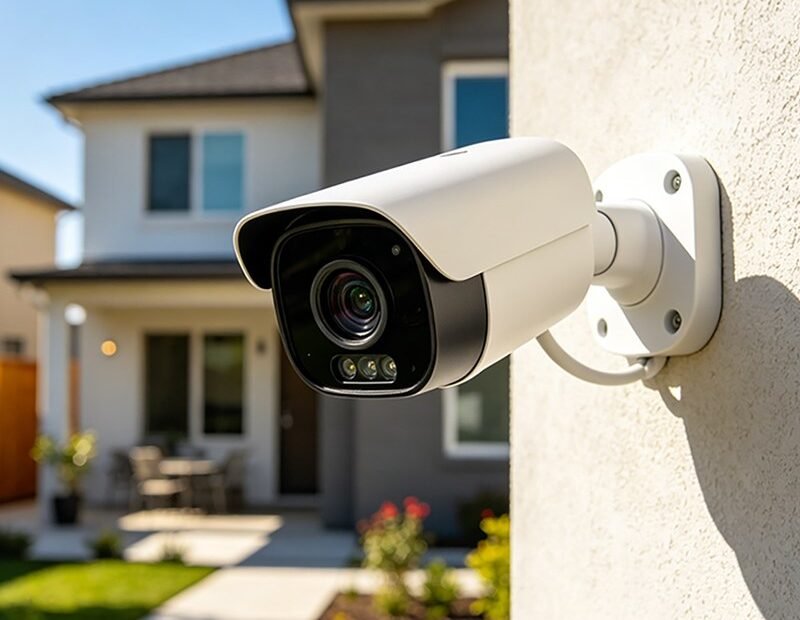
Here is the number that should be printed on every security camera box: a $200 camera system with a $10-a-month plan costs $560 over three years. A $150 system with local storage costs $150, this year and every year after. Same driveway, same porch pirate, wildly different bill — because in home security cameras, the cameras are the cheap part and the years are the expensive part. The short answer: budget $150 to $300 for a solid two-to-four-camera DIY system, but choose it by its three-year cost — camera price plus subscriptions — not by the sticker. Here is the full ledger, tier by tier, and then the placement advice that matters more than any of it.
The Cameras Themselves: Three Tiers
The budget tier is Wyze, and it is not close. Individual cameras run $30 to $50, so a three-camera setup — front door, driveway, back door — costs under $150 and records to a microSD card in each camera. The picture quality at this price embarrasses cameras from five years ago at five times the money. What you give up: the app is less polished, and the company’s cloud features are a subscription upsell layered constantly in front of you.
The middle tier is Ring, at $60 to $100 per camera, about $200 to $300 for three. The app and the neighborhood features are the slickest in the business, the doorbell integration is seamless, and the hardware feels a class above the budget tier — because it is priced to be.
The premium tier is Arlo, at $130 to $200 per camera and around $400 to $500 for a three-camera system, with the best video quality of the three and wire-free designs that go anywhere. And off to the side sits the fourth option most shoppers never price: wired NVR kits (Reolink and Lorex are the household names) at $300 to $600 for four to eight cameras recording to a hard drive in your closet, 24/7, with no subscription in existence to sell you. More installation effort, professional behavior, zero monthly anything.
The Subscription Ledger: Where the Money Actually Goes
Now the part the boxes whisper. Ring’s cameras without the Protect plan ($5 to $20 a month) lose video history, person alerts, and rich notifications — you own a camera that can watch but barely remember. Arlo Secure runs $8 to $25 a month on the same logic. Do the three-year arithmetic and the middle of the market inverts: a $250 Ring setup on a $10 plan is a $610 commitment; a $450 Arlo setup on a $15 plan approaches $1,000; the under-$150 Wyze system recording to its own memory cards stays under $150 plus a handful of replacement cards; and the $400 NVR kit stays $400 forever. None of this makes subscriptions a scam — cloud history that survives a stolen camera is a real feature, and smart person-detection saves genuine grief — but it means the question “which camera is cheapest” has two different answers depending on whether you mean this month or this decade. Consumer Reports’ security camera ratings score the hardware, and Ring’s own Protect plan page gives the subscription terms in the manufacturer’s own words; read both before the cart, not after.
Installation: the Other Hidden Cost
Wireless cameras install in an afternoon with a ladder and a drill, and their hidden cost is charging: battery cameras need recharging every few months, which means the ladder becomes a recurring character in your life, or you add small solar panels (a modest per-camera extra) and end the ritual. Wired and PoE cameras invert the bargain: one miserable weekend running cable buys a decade of never thinking about power or Wi-Fi strength at the camera’s location, and recording that does not depend on your router’s mood. Professional installation exists for both styles and typically costs more than the cameras for small systems — the honest reason this entire category is built around DIY. One placement truth covers all of it: cameras are evidence machines, not force fields. They deter the casual opportunist and identify the determined one afterward, and they do the second job far better than the first.
How Many Cameras Do You Actually Need?
Fewer than the bundles claim. Start with two or three cameras, no more, covering the front door and the driveway — the approaches involved in the great majority of incidents, package thefts included — mounted at about head height rather than up in the eaves, because a beautiful wide shot of the top of a stranger’s hat identifies nobody. Add the back door or the side gate only if your house genuinely has that exposure. Every camera beyond coverage of an approach is entertainment, and entertainment cameras still charge subscription rent. Buy for your doors, expand if an incident teaches you something, and let the neighbors with eight cameras fund the industry’s research division.
Retention: How Much History Are You Buying?
Underneath the brand fight sits a quieter spec that decides what the system is for: how far back the record reaches. Cloud plans sell retention in tiers — a week, a month, sixty days of rolling history — and local storage answers with card or drive size, typically weeks to months of motion-triggered clips on a modest memory card. Think about what the footage is actually for. Package theft and incidents are discovered within a day or two, which makes even the shortest retention tier sufficient for most homes; the long tiers serve vacations (checking what happened while you were away for three weeks) and disputes that surface slowly. Households routinely pay for sixty days to protect against a scenario they have never had, while the camera that matters is pointed at the wrong door. Retention, like camera count, is a place where the honest need is smaller than the upsell — buy the week, and upgrade the day life proves you need the month.
Cameras, Neighbors, and the Law (Briefly and Carefully)
One consideration belongs in any complete cost guide, because fixing it afterward is the expensive kind of lesson. Video recording of your own property is broadly accepted in the US; the tripwires are audio and aim. Many cameras record sound by default, and audio recording runs into wiretapping laws that vary by state and are stricter than video rules — a common, sensible default is to disable audio on cameras pointed anywhere public or shared. Aim matters similarly: a camera covering your driveway that also frames a neighbor’s yard or windows invites complaints and, in some places, legal exposure that a five-degree tilt would have avoided. None of this requires a lawyer for a normal porch setup; it requires ten seconds of standing where the camera stands and asking what else it sees. Do that at installation and the system stays what it was bought to be: protection, not a neighborhood dispute with a memory card.
Two Questions Everyone Asks
Can I just use an old phone as a camera? For a nursery or a temporary watch, yes — apps exist, and our guide to using an old phone as a baby monitor covers the pattern. As a security system it ages badly (heat, batteries, Wi-Fi dropouts), but as a free trial of camera ownership it is unbeatable.
Is local storage risky if someone steals the camera? It is the one genuine argument for cloud: the evidence can leave with the thief. The middle path many households choose is one cloud-plan camera at the front door (where theft is likeliest) and local storage everywhere else — the subscription buys insurance on exactly one camera instead of rent on five.
A last, practical word about the footage itself, because owners discover this too late: check your cameras’ output once a month, the way you would test a smoke alarm. Memory cards die quietly, subscriptions lapse silently, Wi-Fi passwords change and orphan a camera that still blinks bravely at the driveway while recording nothing. Thirty seconds in the app — does each camera show a live picture, and is yesterday’s motion clip actually there — is the difference between a security system and a sculpture of one. The cheapest camera in this article, maintained, outperforms the premium one nobody has opened since installation.
The Bottom Line
Decide the three-year number first — write it on paper if that helps it feel real — then shop inside it and nowhere else. Under $200 total: Wyze and memory cards. The polished app experience with open eyes about the rent: Ring, at roughly $600 over three years. The best pictures: Arlo, priced like it. And the quiet professional answer: an NVR kit, $300 to $600 once, recording to your own hard drive while the subscription economy happens to other people. Every tier in this article watches your house, and several of them watch it extremely well. They just bill you very differently for the watching — in money, in effort, and in how often they would like to hear from your credit card.



