
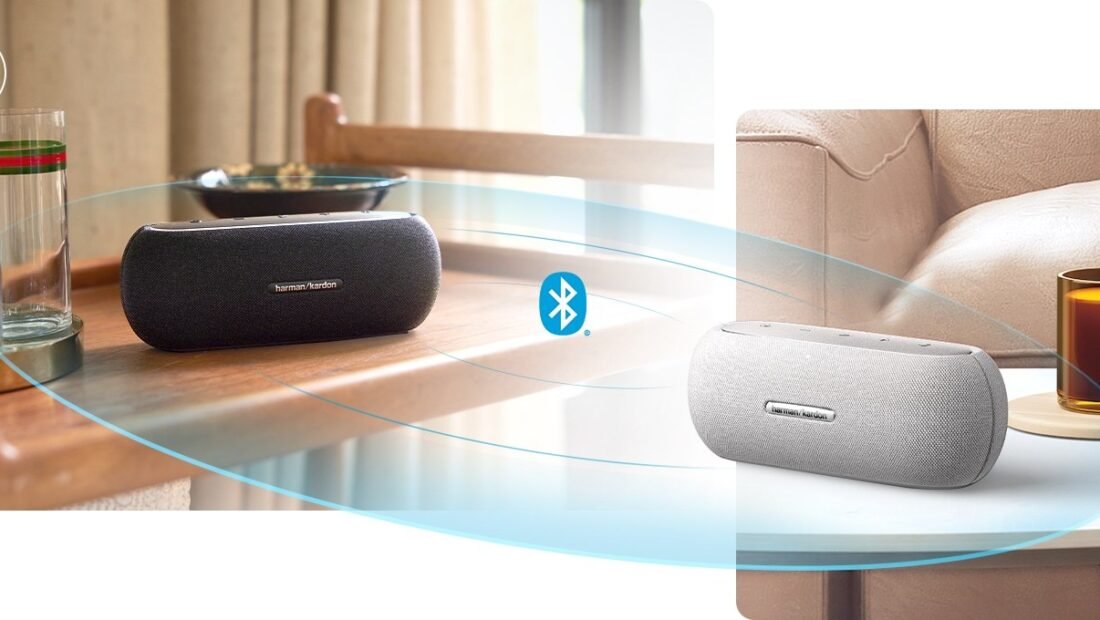
The backyard problem is simple geometry: one Bluetooth speaker by the grill is loud by the grill and a rumor by the pool, and turning it up just makes the grill-side guests shout. So — can your phone play through two speakers at once and fill the whole yard with the same song, at the same moment, end to end? Yes, in most cases, but the path depends entirely on what you own, because there is no single “pair two speakers” button in Bluetooth itself. This walkthrough goes in order: first check what your speakers can do natively, then what your phone can do, then the $25 gadget that makes any combination work — and finally how to place the pair so it actually sounds like one system.
Phase 1: Check Your Speakers First (the Native Pairing Path)
Most modern portable speakers carry a built-in party trick, hidden behind a brand name. JBL calls it PartyBoost, Ultimate Ears calls it PartyUp, Sony calls it Party Connect, Bose calls it SimpleSync — different labels for the same idea: two speakers from the same family link to each other and play as one, either doubling the same sound or splitting it into true left-right stereo. If your two speakers share a brand and the feature, this is your best route — no phone gymnastics, the speakers manage the marriage themselves. The steps are uniform in spirit: power both on, connect the first to your phone normally, then press the pairing/Party button on both (or use the brand’s app) and wait for the confirmation tone. Two minutes, if the manual agrees with your memory. One warning from experience: the feature generations matter — a five-year-old JBL pairs with its own generation’s PartyBoost partners, not necessarily with this year’s. Same brand, similar age is the happy combination.
Phase 2: Ask the Phone (Dual Audio and Its Limits)
If the speakers are strangers to each other, the phone may still save you. Samsung Galaxy phones carry the category’s best feature: Dual Audio. Pair both speakers in Bluetooth settings, pull down the quick panel, tap “Media output,” and tick both speakers — the phone streams to both at once, any brands, with a small volume balance control. It is the cleanest implementation that exists on any phone.
iPhones draw a firmer line. Apple’s Audio Sharing is lovely and works exactly like the dream — for AirPods and Beats headphones. For speakers, iOS offers no general dual-Bluetooth output; the iPhone path runs through the speakers’ own pairing (Phase 1), an app-based system like Sonos, or Phase 3 below. Other Android brands vary — some skins include dual output, many do not — so check your Bluetooth settings for anything named dual, multi, or output selection before buying anything. Knowing which phase your phone lives in takes ninety seconds and prevents the classic mistake: buying a second speaker of the wrong family for a phone that never needed a family at all.
Phase 3: The Universal Fallback (the $20–$30 Splitter)
When speakers will not pair and the phone will not split, a small dongle ends the argument. A Bluetooth splitter (dual-link transmitter) plugs into your phone — by USB-C or the headphone jack if yours still has one — and transmits to two Bluetooth speakers simultaneously, any brands, any ages, no questions asked and no ecosystem demanded. It costs $20 to $30, it is the size of a matchbox, and it converts “incompatible” from a verdict into a setting. The trade-offs are honest: it is one more thing to charge, audio quality tops out at standard Bluetooth rather than the fancier codecs, and purists will hear the compromise at high volume in quiet rooms. In a backyard, at a picnic, on a boat — the environments this article is about — nobody has ever once noticed. Universal tools earn their keep by being universal, and the Bluetooth standard’s own sprawling family tree is the reason this one exists.
Phase 4: Placement and the Stereo Question
Two speakers playing the same thing at the same time (dual mono, in the jargon) fill space; two speakers split into left and right (stereo pairing, offered by most Phase 1 systems) create a soundstage — and they want different placements. For a yard or a big room, dual mono wins: put one speaker near each gathering zone, each at moderate volume, and the whole space sits inside the music instead of beside it. For a desk, a couch, or a movie, stereo wins: speakers at ear height, roughly as far apart as you sit from them, forming the classic triangle. Two $80 speakers in stereo will, for music, embarrass a single $160 speaker — a claim the speaker companies’ own pricing quietly confirms, since their party features exist precisely to sell you the second unit; JBL’s lineup is the clearest example of an ecosystem built around exactly that second-speaker logic. Expect roughly 15 to 25 percent more phone battery drain during dual playback — the phone is feeding two radios’ worth of stream — so a charger within reach is part of the setup for long sessions.
The Other Universe: Multiroom Systems
One family of products deserves a mention because it opts out of this entire article: whole-home systems like Sonos, and AirPlay-based setups generally. These do not pair speakers over Bluetooth at all — they stream over Wi-Fi from the network, which removes the range, sync, and codec ceilings described here, at the cost of living inside one brand’s ecosystem and price list. If your two speakers are Sonos, stop reading the phases: group them in the app and you are done, with the best sync in consumer audio. The Bluetooth routes in this article exist for the far larger world of portable speakers — the ones that go to the yard, the beach, and the tailgate, where there is no house network to save you. Different tools, both legitimate; the mistake is buying portable speakers expecting whole-home behavior, or a whole-home system expecting to travel.
The Movie-Night Variation
Everything so far assumed music from a phone, but the second most common wish is film sound: the TV’s weedy speakers replaced by two real ones. The paths rhyme with the phases. Smart TVs with Bluetooth output can often pair one speaker natively, two only in specific brands; a small Bluetooth transmitter plugged into the TV’s headphone or optical output is the Phase 3 dongle wearing a different hat, feeding two speakers at once. The governing constraint is delay — Bluetooth audio lags the picture by a beat that dialogue exposes cruelly — so for films, prefer speakers and transmitters that advertise low-latency support, or the TV’s own audio-delay adjustment, and judge the result on a conversation scene rather than an explosion. Get it right and the two-speaker trick graduates from party utility to the way you watch everything, which is how a $50 experiment quietly becomes a home theater with no receiver in sight.
A Quick Word on Volume and Fairness Between the Pair
One adjustment separates a pleasant pair from an argument. Two speakers playing together are louder than one — physics adds them — but they are rarely equally loud: different models, different battery states, different distances from your ears. Balance them deliberately rather than cranking both to maximum and letting the nearer one dominate. Most pairing apps and Samsung’s Dual Audio screen offer a balance or per-speaker volume control; bring the louder speaker down rather than pushing the quieter one into distortion, and set the pair’s level about two notches below what feels exciting in the first minute. Ears tire, distortion creeps, and the setup that sounds effortless at hour three was balanced, not maximized, at minute one. The same restraint, incidentally, is what your neighbors will judge the whole enterprise by.
Troubleshooting: One Speaker Silent, Delays, and Dropouts
Only one speaker plays: almost always a pairing-order problem. Forget both speakers in the phone’s Bluetooth settings, power-cycle both, and rebuild in the phase’s order — speakers to each other first where Phase 1 applies, phone second. The pair drifts out of sync: distance and walls between the two speakers are the usual cause; the secondary speaker is receiving a relayed signal at the edge of its range. Move them within easy sight of each other and the phone. Video looks like a dubbed film: dual Bluetooth adds delay, and lip-sync suffers; for movies, prefer a single speaker, a wired connection, or the TV’s own audio delay setting. None of these fixes costs money, requires a new purchase, or involves anything more exotic than patience — the whole technology, once the right phase is chosen, is a settings problem wearing a hardware costume. And if your gatherings are moving indoors to a desk, the same “two modest units beat one flagship” logic applies to your ears directly — our comparison of the best budget noise cancelling headphones for remote work runs the numbers on that side of the family.




1 Comment