
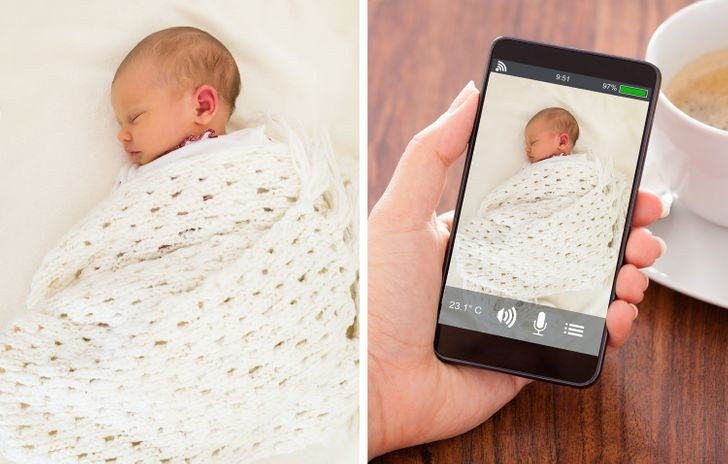
Sooner or later, most of us end up asking: can I use an old phone as a baby monitor? I asked the same thing not long ago, and the answers I found online were either vague or trying to sell me something. This guide is the opposite of that — straight talk, real numbers where they exist, and practical advice you can actually use today.
Whether you’re dealing with this right now or just planning ahead, it helps to know what’s normal, what’s overpriced, and what’s a flat-out bad idea. I’ve broken it all down below in plain English, no jargon and no fluff.
Can I Use an Old Phone as a Baby Monitor: What You Need to Know
That old phone in your drawer can absolutely work as a baby monitor — and for many families, it works well enough to skip buying a $100–$200 dedicated monitor. The setup takes about 15 minutes with a free app, and the video quality often beats budget monitors. But there are real limitations to know about, so let’s cover the setup and the honest trade-offs.
The easiest approach is a dedicated app like AlfredCamera (free tier available) or Baby Monitor 3G. Install the app on both the old phone (the ‘camera’ unit, placed in the nursery) and your current phone (the ‘viewer’). Create an account, pair the two devices, and you’re watching live video with two-way audio. AlfredCamera even offers motion detection alerts and free cloud clip storage on its basic plan. For more on this topic, see Why Does my Laptop Overheat When I Watch Videos — it pairs well with what you just read.
Looking Closer at Your Options
Setup details matter. Position the old phone where it has a clear view of the crib — a small tripod or phone stand ($10–$15) beats leaning it against books. Plug it into its charger permanently; video streaming drains batteries in a few hours otherwise. Connect it to your home Wi-Fi (not cellular — you don’t want it eating mobile data or dropping to a weak signal), and enable Do Not Disturb so calls and notifications don’t interrupt the stream. For the official guidance, see Consumer Reports’ buying advice.
Audio-only mode is worth knowing about: most of these apps let the camera phone work with its screen off while still transmitting audio, which reduces heat and battery strain for overnight use. And enable the app’s background alerts for sound/motion so your viewer phone pings you when the baby stirs — that’s the feature that makes it function like a real monitor rather than just a camera.
Practical Steps That Work
- Apps: AlfredCamera (free tier) or Baby Monitor 3G — install on both phones, pair, done (~15 min).
- Keep the camera phone plugged into its charger; streaming kills batteries in hours.
- Use home Wi-Fi (not cellular); enable Do Not Disturb on the camera phone.
- Position with a $10–$15 phone stand/tripod for a stable crib view.
- Secure it: strong unique password + 2FA on the app account; keep OS updated.
- Limitations: app crashes, Wi-Fi range only, no dedicated parent unit.
Breaking It Down Further
Now the honest limitations. First, reliability: phones aren’t designed for 24/7 streaming — apps can crash, Wi-Fi can drop, and OS updates can reboot the phone mid-nap. A dedicated monitor with its own radio frequency just keeps working. Second, range: you’re limited to your Wi-Fi network’s reach, while dedicated monitors often work hundreds of feet away. Third, there’s no purpose-built parent unit — if your viewer phone dies or you take a call, you lose the monitor.
Security deserves a mention too. Use a strong unique password on the monitor app account and enable two-factor authentication — a baby monitor is a camera in your child’s room, and hijacked monitor accounts are a real (if rare) horror story. Keep the old phone’s OS updated as long as it receives updates, and don’t reuse a password from elsewhere. Related: our breakdown of What Are the Cheapest Ways to Market a New Local Business covers the numbers in detail.
My take: the old-phone monitor is excellent as a secondary monitor (grandparents’ house, travel, the playroom) or as a trial before buying dedicated gear. For nightly use with a newborn, where reliability is everything, a dedicated audio/video monitor ($80–$150) is still worth it for most parents. Start free with the old phone — you’ll quickly learn whether its quirks bother you or not.
Where People Go Wrong
- Running it on battery — the stream dies mid-nap, every time.
- Using cellular data instead of Wi-Fi, risking drops and data overages.
- Weak app passwords on a camera pointed at a crib — secure the account properly.
- Expecting phone-monitor reliability to match a dedicated $120 monitor for nightly newborn use.
Questions People Ask
Which app is best for old-phone baby monitoring?
AlfredCamera is the most popular free option with motion alerts and cloud clips. Baby Monitor 3G is a solid paid alternative with no subscription. Try free first.
How old a phone can I use?
Any phone that runs the app and holds Wi-Fi — even 6–8 year old phones work as camera units since all they do is stream video.
Can I use it outside my home Wi-Fi?
Yes, most apps work over the internet too, so you can check in from anywhere — handy, but make sure that account security is airtight.
How often should I restart my phone and computer?
A weekly restart is a good habit for both phones and computers. It clears temporary memory glitches, finishes pending updates, and kills runaway background processes that drain battery and slow things down. You don’t need to power off nightly — modern devices handle standby well — but if something starts acting strangely, a restart is always the first troubleshooting step worth trying.
Is it safe to buy refurbished electronics?
Yes, when you buy from reputable sources. Manufacturer-refurbished programs (Apple, Dell, Samsung) include new batteries or thorough testing plus a full one-year warranty — often indistinguishable from new. Third-party refurbishers like Back Market add their own warranties. Avoid no-name sellers with 30-day warranties and no return policy; the seller matters more than the ‘refurbished’ label.
The Bottom Line
Yes — install AlfredCamera or similar on the old phone and your current phone, keep the camera plugged in on Wi-Fi, and you’ve got a free video monitor in 15 minutes. It’s great as a secondary or travel monitor; for nightly newborn duty, consider whether you’d prefer a dedicated monitor’s bulletproof reliability.
Related: our breakdown of How do I Accept Credit Card Payments at a Farmers Market covers the numbers in detail.
Bottom line: a little homework now saves you money and stress later. Use the steps above, skip the common mistakes, and you’ll come out ahead of most people dealing with this.



