
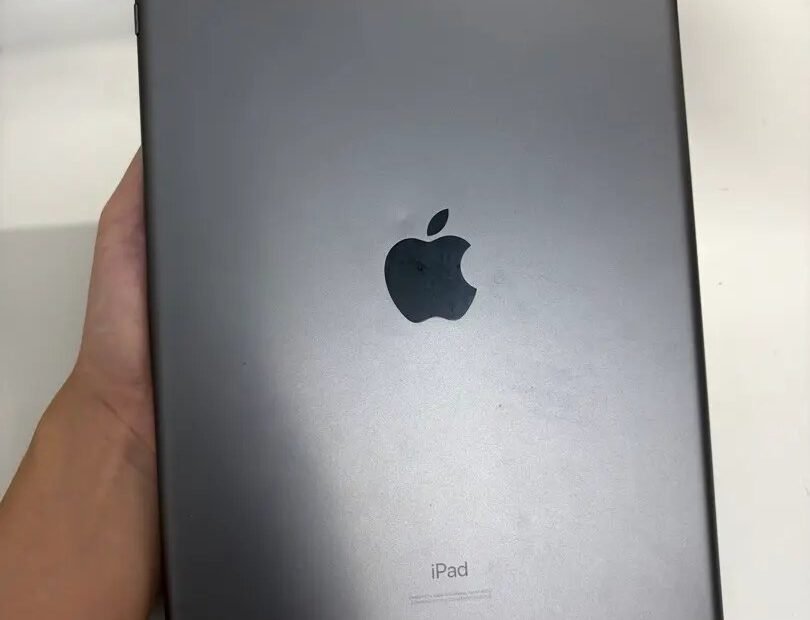
The listing is tempting: an iPad that sells new for $600, offered at half price, “barely used,” cash only, meet today. It might be the smartest tech purchase you make this year — tablets age gracefully, and a two-year-old iPad is still a lovely thing. Or it might be a stolen, locked, battery-dead brick with a good camera angle. The difference between those two outcomes is about ten minutes of checking.
Here is the checklist, in the order to run it. The first item matters more than the other eight combined.
The checklist
- 1. Activation Lock is off — the seller’s Apple account fully signed out.
- 2. The exact model — confirmed in Settings, not from the listing.
- 3. Battery behavior — holds charge like a healthy iPad should.
- 4. Screen and touch — every corner responds; no spots, lines, or lifting.
- 5. Buttons, ports, speakers, cameras — all tested, not assumed.
- 6. Wi-Fi and Bluetooth — connects and stays connected.
- 7. Storage matches the listing — the size you paid for is the size inside.
- 8. A supported iPadOS — still receiving updates.
- 9. Price against real sold prices — and a seller you can find again.
Check 1: Activation Lock — the deal-breaker
Activation Lock ties an iPad to its owner’s Apple account. If it is still on, the iPad is a paperweight: no reset, no trick, and no repair shop can make it yours, and Apple will not help without the original owner’s credentials. This is the signature of a stolen or carelessly resold device.
The check takes one minute. In Settings, the top of the screen should show “Sign in to your iPad” — not somebody’s name. Better still, ask the seller to erase it in front of you (Settings, General, Transfer or Reset, Erase All Content and Settings) and let it restart to the fresh “Hello” setup screen. A legitimate seller will do this without blinking, because they have to before selling anyway. Any story about why it must stay signed in ends the negotiation.
Checks 2 and 7: confirm the exact model and storage
Listings are vague on purpose. “iPad Pro, like new” can describe four generations with wildly different values. In Settings, General, About, read the model name and the model number, and check the capacity line against the listing. Sellers confuse Wi-Fi and cellular models, 64GB and 256GB, and occasionally last year’s body with this year’s name. What is printed inside the machine is the truth; everything else is advertising.
Check 3: the battery, judged by behavior
Unlike iPhones, iPads do not show a battery health percentage in Settings, so you judge by behavior. A healthy iPad plays video for around ten hours. Ask the seller how long it lasts in real use, watch the percentage during your inspection — it should sip, not fall — and be wary of an iPad that arrives at 4 percent “because I forgot to charge it.” If you can plug it into a Mac or PC, the free coconutBattery app reads the battery’s cycle count and remaining capacity directly.
This matters financially: iPad battery replacement at Apple costs about $99 to $129, and many independent shops will not touch iPad batteries at all. A tired battery is not a reason to walk away from an otherwise good iPad — it is a reason the price should drop by the cost of the fix.
Checks 4 to 6: screen, body, and radios
Open a plain white page and look for dark spots, yellow patches, or dead pixels; then drag an app icon slowly across every part of the screen — dead touch zones reveal themselves where the icon drops. Check the corners for dents (corner drops bend frames and lift screens), press every button, plug in a charger, play a song, take a photo with both cameras. Then join a Wi-Fi network, browse for a minute, and pair anything Bluetooth. Ten unglamorous minutes, every system on the device touched once.
If the screen is already cracked, do not guess what that does to the value — check our breakdown of what a cracked tablet screen costs to repair and subtract accordingly, because on some models the repair nearly equals the iPad’s worth.
If the deal includes accessories, test those too, in the same visit. An Apple Pencil should pair and draw without dead bands across the screen — it doubles as a second touch test — and a keyboard case should type every row without doubling letters. Accessories are where “complete package” listings quietly shrink; a Pencil that will not pair is a $100 hole in the bargain, and it is discoverable in ninety seconds while you still have the option to walk away.
Check 8: software support left in the tank
Apple supports iPads with new software for roughly five to seven years. An iPad stuck on an ancient version of iPadOS, with no update offered, is near the end: apps will start refusing to install, and security fixes have already stopped. In Settings, General, Software Update, confirm it can run a current version. A two- or three-year-old model has years of life left; a seven-year-old bargain has months.
Where to buy, ranked by how much sleep you get
The same iPad carries different risk depending on where it changes hands. Safest is Apple’s own refurbished store and established refurbishers: the machines are tested, the batteries meet a standard, locks are impossible, and a warranty stands behind the sale — you pay closer to 60 percent of new and buy certainty with the difference. Next, the reputable resale platforms with buyer protection, where the checklist above can be run during a returns window rather than in a parking lot.
Local marketplaces are where the deepest bargains and the only real dangers live. The checklist is your protection there: meet in a public place (many police stations offer a safe-exchange spot), run every check before money moves, and treat pressure to hurry as information. A seller who will not wait ten minutes for checks is telling you why. And the accessories deserve one line of maths: the right charger, a case, and perhaps a Pencil can add $50 to $150 to the true cost, so an iPad that includes them is worth more than the same iPad naked — ask what is in the box before comparing prices.
Negotiate with evidence, not vibes
The checklist doubles as a negotiating tool, because every flaw it finds has a price attached somewhere. A battery clearly past its best: the replacement costs $99 to $129, so the price should fall by something close to that. A cracked screen: repair prices are published and known, and the discount should reflect them. An older model than the listing implied: the sold listings for the true model are your evidence, shown politely on your phone. Sellers price used iPads by hope; buyers who arrive with numbers pay by market. None of this requires confrontation — you are not accusing anyone of anything. You are simply the only person at the meeting who knows what things cost, which is also, not coincidentally, the entire point of the checklist.
After you buy: the first evening’s setup
The checks got you a good iPad; twenty minutes at home makes it fully yours. Erase it once more yourself, even if the seller did — a clean start on your own Apple account removes every doubt about whose data and settings linger. Set it up with your account, turn on Find My so the Activation Lock now protects you instead of threatening you, and install the pending iPadOS update before the apps, so the machine begins its life current. If the model and timing qualify, this is also the window to decide on AppleCare+, which can usually only be added within about sixty days of purchase — worth it on an expensive Pro, skippable on a base model. Then the humble accessories: a case before the iPad meets a kitchen floor, and the correct-wattage charger if the box came with a feeble one. Total elapsed time: one cup of tea. Total effect: the difference between owning a used iPad and owning someone’s old problems.
Check 9: the right price, from the right seller
Fair money for a two- to three-year-old iPad in good condition is roughly 40 to 60 percent of what the current equivalent costs new. Do not take the seller’s word for the market — look at Swappa’s sold listings for the identical model and storage, which show what buyers actually paid. And buy where you have recourse: a platform with buyer protection, a refurbisher with a warranty, or at minimum a local seller met in a public place whose story checks out. On refurbished units from Apple, note that AppleCare+ can usually be added within 60 days — worth it on a pricey Pro, skippable on a base model. One last money trap: cellular models carry a premium of $100 or more, yet most owners tether to their phone’s hotspot for free. Unless you specifically need standalone data, let someone else pay for the antenna.



