
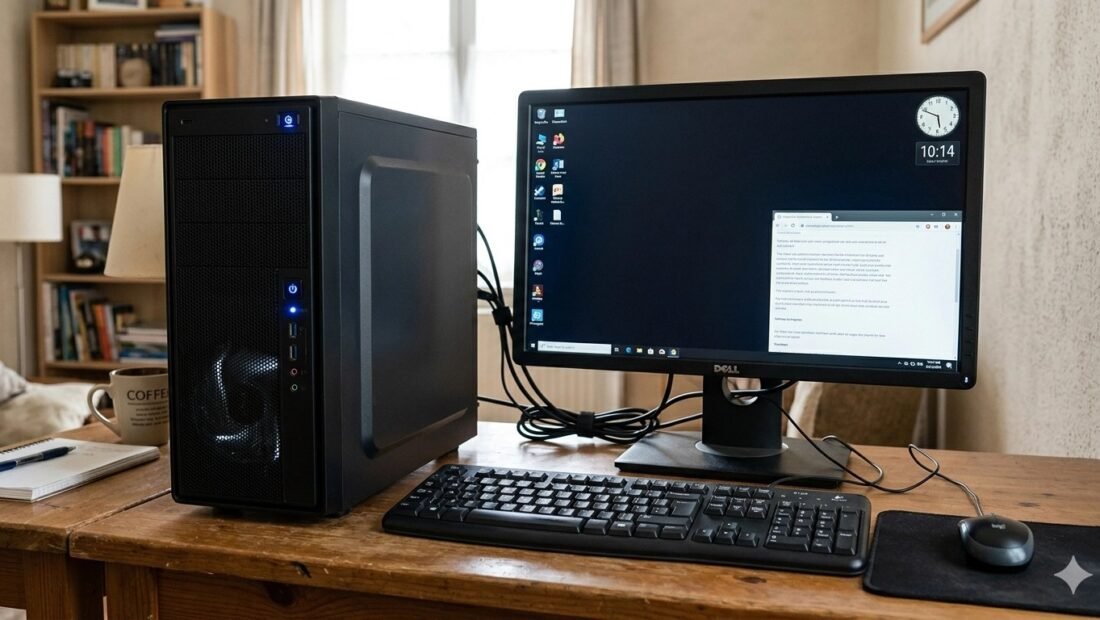
Type “home office setup” into a video site and you will drown in $2,000 desks: curved screens, glowing keyboards, a computer case like an aquarium. It looks great. It also has almost nothing to do with what a working home office actually costs. A desktop setup for real work — documents, email, calls, spreadsheets, a dozen browser tabs — costs far less, and the money you do spend works harder in some places than others.
There are really three honest budgets for this, and they buy genuinely different things. Here they are, weighed against each other, so you can pick the tier that matches your work instead of a stranger’s video.
The $450–$600 tier: the value king
The smart buy at this level surprises people: not a new budget computer, but a refurbished business mini PC. Machines like Dell’s OptiPlex and HP’s EliteDesk lines were built for offices, sold off by the pallet when companies refresh, and they are tough, quiet, and small enough to hide behind the monitor. Around $200 to $280 buys one with an 8th-generation Intel i5 or better, 16GB of memory, and a 512GB SSD — specs that handle office work flawlessly, because office work was never the heavy lifting people imagine.
Around it, the rest of the basket is plain and proven. A 24-inch 1080p IPS monitor runs about $110 to $140 and is easy on the eyes for text all day. A wireless keyboard and mouse combo like Logitech’s MK270 costs about $25. Add basic speakers or a headset for calls, and the total lands near $500 — for a setup that, in daily use, embarrasses plenty of $800 all-in-one machines with prettier shells and weaker insides.
The compromises are real but mild. The PC is used, so its warranty is short or absent; buy from a refurbisher who offers at least a few months of cover. The monitor is 1080p, so text is good rather than razor-sharp. And there is no gaming or serious video editing in this tier’s future. For documents-and-calls work, none of that bites.
The $800–$1,000 tier: buying comfort and years
Step up, and the money goes to two things: new hardware, and a screen your eyes will thank you for. A new mini PC or small desktop with a current-generation i5 or Ryzen 5 runs about $450 to $550, with a proper warranty and support for years of system updates ahead of it.
The bigger change is the monitor: a 27-inch 1440p display for roughly $200 to $250. That jump — more pixels on a larger screen — is the single biggest quality-of-life upgrade in this whole article. Text is crisper, two windows sit side by side without squeezing, and spreadsheets stop feeling like keyholes. Add a decent keyboard and mouse you actually enjoy typing on, and the tier earns its name: everything works, everything is pleasant, nothing is exotic.
Who should pay the extra over the value tier? Anyone whose desk is their full-time workplace for the next three or four years. Spread over that time, the premium is pennies a day, and the monitor alone justifies most of it.
The $1,200-and-up tier: two screens and a real chair
Past $1,200, stop upgrading the computer — a mid-range PC is already more than office work needs — and spend on space and posture instead. Two 27-inch 1440p monitors together run about $400 to $500, and they change how a day feels: email and reference material on one screen, the actual work on the other, no more flipping between windows fifty times an hour. People who try dual monitors rarely go back.
A monitor arm for $40 to $80 lifts the screens to eye level and hands you back the desk underneath them. And then there is the item too many setups treat as an afterthought: the chair. A $200 to $300 ergonomic chair affects your body more than any component in the computer. Budget it separately and deliberately — guidance like OSHA’s ergonomics resources makes the simple point that screen height, chair support, and posture are health issues, not luxuries, when you sit somewhere eight hours a day.
The desk, the light, and the extras nobody budgets for
Every tier above quietly assumes a desk to put things on, and that assumption deserves thirty seconds of honesty. You do not need a designer desk — a flat, stable surface at the right height, deep enough that the screen sits an arm’s length away, beats a beautiful one at the wrong height every working day of the year. Second-hand office desks are plentiful and cheap precisely because companies shed them constantly.
Lighting is the other invisible line item. A screen facing a bright window fights glare all day; a screen backed by a dark room strains your eyes by contrast. A simple desk lamp placed to the side, and the monitor turned away from direct window light, cost almost nothing and fix the two most common “my eyes hurt by 4 p.m.” complaints in home offices. Add a power strip with surge protection — one modest purchase that every tier of computer deserves, since the setup’s total value now sits behind a single wall socket — and a handful of cable ties, and the unglamorous layer is complete for the price of a pizza.
If the money is tight: the buying order
When a tier’s full basket does not fit this month’s budget, buy in the order that makes each week better soonest. The computer first, obviously — nothing else matters without it. The monitor second, because you will look at it for more hours than everything else combined, and a good one outlives two computers. The chair third, ahead of every accessory, because discomfort compounds daily and quietly. Then the headset and webcam, then the second monitor, then everything decorative. People instinctively buy in the reverse order — the pretty things first, the chair “later” — and then sit in pain surrounded by excellent lighting. The order above is the whole secret of a sensible office budget, and it works at every tier.
Where people waste money at every tier
The same overspends show up at all three budgets. The first is paying for power you cannot use: a gaming-grade processor or graphics card for a life of documents and video calls is money converted directly into fan noise. The second is the all-in-one trap — a sleek machine with the computer built into the screen, where the screen dies or the computer ages and both go in the bin together, and upgrades are nearly impossible.
The third is forgetting the unglamorous parts until they annoy you daily: a webcam that makes you look like a witness-protection interview, a headset that hurts after one call, a desk lamp doubling as your only light. A modest webcam and a comfortable headset cost little and appear in every meeting you will ever take from that desk. Similarly, if the desk sits far from the router, budget for the connection too — many people end up happier after choosing a WiFi router that actually covers the whole house rather than fighting a weak signal with the new PC.
Buying the pieces used, without buying trouble
Two items on these lists are unusually safe second-hand. Monitors have almost no moving parts and fail visibly or not at all — a used 24- or 27-inch display you can test before paying is often half the new price, and the test is simply turning it on and looking for dead pixels and dark patches. The refurbished mini PCs in the value tier are, of course, already this principle in action. The item to buy new is the chair. A used office chair’s foam and gas lift carry years of someone else’s weight in ways a photograph cannot show, and the chair is the one piece your spine negotiates with daily. Keyboards and mice sit in between: fine used, better new, cheap either way. Spend the savings where the article keeps pointing — the screen — and the whole setup lands a tier above its budget.
One habit protects every used purchase on this page: buy from sellers who take returns, and test within the window as if you meant it. A refurbished PC gets one full workday, including a restart from cold and an hour of your heaviest real work. A monitor gets the dead-pixel check and a night of your actual documents. Faults in honest refurbished gear declare themselves early — which is precisely why the return window, not the product photo, is the real warranty you are shopping for.
So which tier is yours?
If the desk is for part-time work, homework, and household admin, take the $450–$600 tier without a flicker of guilt — it is genuinely good, and the refurbished mini PC is the best-kept secret in home computing. If the desk is your full-time job, the $800–$1,000 tier is the honest sweet spot: new machine, proper warranty, and that 1440p screen. Go past $1,200 only when your work clearly lives in many windows at once — and when you do, spend the extra on the second screen and the chair, not on a faster chip.
Whatever tier you choose, notice what is not in these budgets: a $2,000 price tag. The glowing aquarium computer is entertainment. A working office is a tool, and tools are allowed to be sensibly priced.




3 Comments