
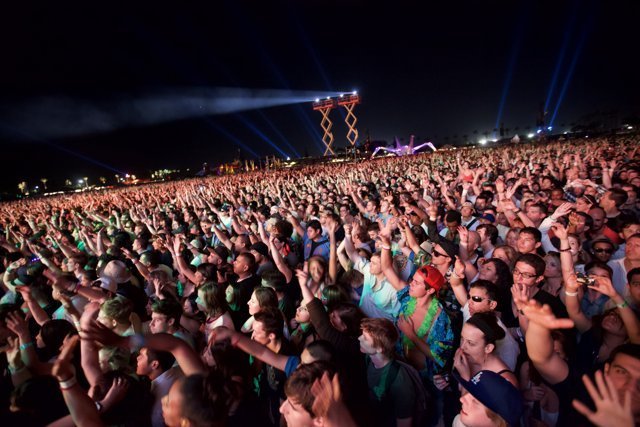
The best concert in your city last month was free, charged nothing at the door, and you heard about it two days after it happened. Someone at work described the crowd, the weather, the encore. You checked your phone in disbelief. No alert, no email, no calendar entry — nothing in your feeds had mentioned it, even though the information had been public for weeks. That gap is not bad luck. It is a setup problem. Events are announced across a dozen scattered places, and unless a small system pulls them together, even a lively city looks quiet from the couch.
The Setup Checklist: Install and Configure Once
- Bandsintown and Songkick: Install both, connect a music library or follow at least 20 favorite artists in each, and turn on nearby-show alerts.
- Eventbrite: Create an account, set your city and a realistic travel radius, follow five organizers or venues, and save three events so recommendations start learning.
- DICE: Add for clubs, electronic music, and nightlife; enable alerts for followed artists and venues.
- TodayTix: Add if you watch theater; set your city and check the discount and lottery sections weekly.
- Facebook Events: Open the Events tab, confirm your location, and follow local venues, galleries, and community pages so small and free events surface.
- City weekend newsletter: Subscribe to one trusted “things to do this weekend” email for your city and actually open it on Thursday or Friday.
- Venue and artist mailing lists: Join lists for your five favorite local venues; presale codes and first announcements go to subscribers.
- Library and parks calendars: Bookmark both and scan them monthly; free concerts, films, and workshops hide there.
- Spotify concert listings: Check the Live Events section, which builds nearby suggestions from your listening history.
- One shared plan: Keep a shared note or group chat titled “things we want to do” so good finds turn into plans instead of vanishing.
That checklist takes about thirty minutes to complete. Do it in one sitting, with notifications set deliberately: alerts on for followed artists and venues, digest-style email for broad discovery, and no blanket alerts for every event in the city. A phone that buzzes fifty times a week teaches its owner to ignore it. A phone that buzzes twice, for acts and rooms already chosen, gets opened.
Concert Trackers: Bandsintown and Songkick in Detail
For live music, artist-tracking apps beat general listings because they start from taste rather than geography. Bandsintown and Songkick both let you follow performers and then warn you when those performers announce a show within your radius. Their venue and promoter partnerships differ slightly, so running both gives wider coverage than either alone — a tour leg listed in one occasionally never appears in the other. The setup detail that matters most is the library import. Connecting a streaming account seeds dozens of follows in minutes, including smaller acts you would never think to type into a search box, and those smaller acts are precisely the ones whose shows sell quietly and early.
Used well, the trackers also handle the next steps. Listings link to official ticket sellers, show on-sale times, and flag low-ticket warnings for popular dates. Check the radius setting twice a year. A 25-mile radius suits a dense city; a 50- or 75-mile radius suits viewers willing to drive for a favorite act, and the wider net catches amphitheater and neighboring-city dates that feel entirely local once you are in the car. Anyone focused mainly on gigs should pair the trackers with the dedicated methods for how to find concerts happening near you, which dig deeper into presales and venue calendars.
The Broad Aggregator: Eventbrite and the Long Tail
Eventbrite covers the widest ground of any single app: concerts, yes, but also comedy nights, food festivals, classes, markets, lectures, fundraisers, and the odd niche gathering that exists nowhere else. Start with Eventbrite’s local event listings filtered by date and distance, then follow the organizers of anything you attend. Organizer follows are the hidden engine. A brewery that runs a great quiz night, a gallery that hosts late openings, a promoter with taste in small-room music — following the source outperforms searching the category again and again.
The recommendation feed improves quickly once the app has evidence: a few saved events, a couple of follows, one or two attended listings. Until then it skews generic and commercial, heavy on business mixers and large paid events. Free events appear here too, but they sit below ticketed ones in most sorts, so use the free filter deliberately when browsing rather than expecting bargains to float up. For recurring local series — weekly markets, monthly gallery nights — save the organizer, not just the single date, or you will rediscover the same series from scratch every month.
Nightlife and Theater Specialists: DICE and TodayTix
DICE earns its place by doing one slice better than the giants. Its focus is music and nightlife, especially club and electronic scenes that broad aggregators under-cover, and its buying flow is clean: tickets live inside the app, transfers are simple, and the listings carry useful detail about venue and running times. Its discovery pages, built around followed artists and friends’ activity in some markets, suit viewers whose nights out center on DJs and small clubs rather than seated concerts. Coverage varies by city, so check your own listings before relying on it as a primary source.
TodayTix plays the same specialist role for theater in major markets. Alongside standard bookings it surfaces discounted seats, rush tickets, and digital lotteries for popular productions — the routes by which expensive shows become affordable on short notice. Local theaters’ own mailing lists still matter alongside it, because subscriber presales and member discounts often beat any public platform. The pattern generalizes: for any category you care about deeply — theater, comedy, classical music, film festivals — one specialist source plus the venue lists will outperform five general apps skimmed at random.
The Free and Local Layer Most People Skip
Here is the structural fact behind the missed free concert: the more local and free an event is, the less likely the big commercial apps are to carry it, because there is no ticket commission to earn. That layer lives elsewhere. Facebook Events, whatever the platform’s fashion status, remains the deepest index of small-scale local life — art openings, neighborhood festivals, school and charity events, pop-ups, and community gigs — because organizers create those pages by habit. Your city’s parks department calendar lists outdoor concerts, movies in the park, and seasonal festivals, often for a full season at once. Public libraries run concerts, film screenings, talks, and workshops that rarely appear in entertainment listings at all.
The weekend newsletter deserves its own emphasis. Nearly every city has at least one good one — a local paper’s roundup, an independent Substack, a culture site’s Friday email — edited by a person whose job is knowing what is on. Ten minutes of subscribing pays off all year, and the Thursday or Friday arrival time is well judged: close enough to the weekend to act on, early enough to get tickets. Neighborhood apps and community boards fill the final gap with block parties and school-hall events. None of these sources is complete alone. Together they cover precisely the free, nearby, word-of-mouth tier that the commercial apps miss — the tier where that perfect free concert was hiding.
From Alerts to Actually Going
Discovery is only half the system. The other half is conversion, and it runs on three small habits. First, act at the moment of discovery: when an alert or listing genuinely appeals, send it to a friend or partner immediately, with a date attached. A shared plan survives; a private intention evaporates by Tuesday. Second, buy or reserve at the point of decision for anything with limited capacity. Free events with registration fill too, and hesitation is the most common reason good plans die. For paid shows, note on-sale times in a calendar rather than trusting memory.
Keep ticket buying simple and safe while you are at it. Buy through links inside the apps or through venue box offices, double-check the date, city, and seat type before paying, and treat social-media resale comments and unverified discount codes with caution. For popular on-sales, log in early, have payment details saved in the official seller, and decide your price ceiling before the queue opens, because the fastest decisions are the ones made calmly in advance.
Third, keep a standing rhythm. One planned outing a month — a gig, a play, a gallery late night, a free outdoor film — breaks the stay-home default and compounds, because each venue visited teaches you about two more: the poster wall, the support act, the organizer’s next date. Review your follows twice a year, pruning dead venues and adding new favorites, and glance at library and parks calendars at each season change when new series are announced. The city was never quiet. It was announcing itself across a dozen scattered channels, waiting for a thirty-minute setup and a few steady habits to pull the signal together. Build the checklist once, and the next free concert everyone talks about on Monday is one you will have seen listed on Thursday — with time to be in the crowd instead of hearing about it.




1 Comment