
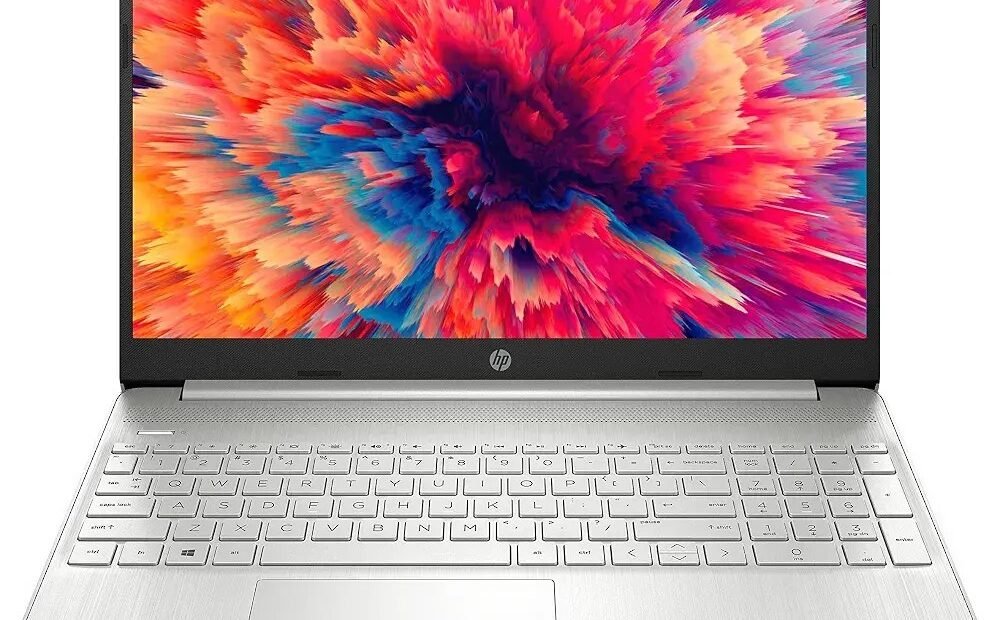
You have $400, and the internet offers you two doors. Behind door one: a brand-new laptop, plastic, shiny, with that new-electronics smell and a two-year warranty. Behind door two: a refurbished business laptop that cost $1,200 two years ago — scuffed, maybe, but built like office furniture and faster on paper than the new one. Both doors are defensible, which is exactly what makes this a real decision. Here is the honest weighing, ending in a verdict that depends — legitimately — on who will use the machine.
Door One: The Cheap New Laptop
What you get: a machine built to a $400 price — plastic chassis, a mediocre keyboard, a dim screen, and minimal repairability — because at that price, something had to give, and it was everything you touch. Underneath: typically a modest processor, 8GB of memory, and a small SSD.
The pros are not nothing. It is new: full manufacturer warranty, a battery at 100 percent of its life, current ports and Wi-Fi, the latest operating system with the longest support runway, and the simple peace of a receipt from a real store. For a buyer who cannot evaluate a used machine and has no one to ask, newness itself is a feature — it converts judgment calls into a warranty claim.
The cons accumulate daily. Cheap consumer laptops are where manufacturers cut the corners you feel every hour: flexing keyboards, screens that wash out, hinges engineered to a price. Performance is honest but thin — fine for documents and browsing, strained by anything heavier — and when something breaks out of warranty, repair economics are ugly because the parts were never designed to be replaced.
Door Two: The Refurbished Business Laptop
What you get: yesterday’s corporate fleet. A refurbished Lenovo ThinkPad, Dell Latitude, or HP EliteBook was engineered as a $1,200–$1,500 business machine — magnesium or aluminum frames, spill-resistant keyboards, brighter screens, ports galore, and parts designed from the start to be replaced by an IT department in minutes. The refurbishing process (from a proper seller) tests it, replaces the battery or drive if they are tired, cleans it, and warranties it.
The pros compound. Performance per dollar is not close: a two-year-old business laptop with a Core i5 or Ryzen 5, 16GB of RAM, and a 512GB SSD will outwork a new $400 machine in most real tasks, because memory and storage are where everyday speed actually lives. The keyboard and screen — the parts your body meets — are simply a class above. And if it ever needs a part, parts exist, cheaply, with guides.
The cons are specific, not vague. The battery is the honest risk: a refurb’s battery may hold 80 percent of new, which is why the seller’s battery guarantee matters more than its price. Cosmetic wear varies (buy “grade A” if looks matter, and pay the small premium). The machine is two years into its update runway, not at the start. And the whole door depends on buying from the right seller, which is its own section below.
The Battery Question, Faced Squarely
Since the battery is the refurb risk, price it rather than fearing it. Ask the seller for the battery’s reported health or cycle count before buying — legitimate refurbishers publish or provide it — and treat anything below about 80 percent health as a negotiation or a walk-away. A replacement battery for a ThinkPad or Latitude typically costs a fraction of what you saved, and on business models it is often a five-minute, sometimes tool-free swap, because these machines were designed for exactly that. Compare like with like: the new laptop’s battery advantage is real on day one and shrinks every year, while the refurb’s disadvantage is known, priced, and fixable — which is more than can be said for the new machine’s keyboard.
Where to Buy Refurbished Without Gambling
The channel is the whole ballgame on door two. Manufacturer outlets (Dell’s and Lenovo’s official refurbished stores) sell machines the maker itself has inspected, with real warranties — the reference standard. Established refurb marketplaces like Back Market impose testing standards and a minimum one-year warranty across their sellers. Random marketplace listings from individuals are the raw used market wearing a refurb costume: no testing, no warranty, no recourse — price them as used, not refurbished, if you go there at all. Whichever channel: insist on at least a one-year warranty, verify the discount is real (a refurb should run 30 to 50 percent below its original price; “refurbished” at near-new money is a costume), and confirm the return window in writing. Consumer Reports’ laptop coverage tracks reliability by brand over exactly these machine classes, and Lenovo’s official outlet shows what maker-refurbished pricing honestly looks like this week.
The Specs, Translated: What to Actually Compare
When a refurb listing and a new-laptop box compete, ignore the processor’s marketing name first and read three lines instead. Memory: 16GB (the refurb’s usual) against 8GB (the new machine’s usual) is the single largest everyday difference between the doors — it decides how many tabs, documents, and calls the machine holds open before it starts swapping and stalling. Storage type and size: both doors have SSDs now, thankfully, but 512GB against 256GB is the difference between never thinking about space and thinking about it monthly. The screen: business refurbs usually carry brighter, matte, higher-resolution panels; cheap new laptops carry dim, glossy ones that punish anyone working near a window. Processor generations matter less than the advertisements insist — a two-year-old i5 and a current budget chip are closer than their names suggest — which is precisely why the older, better-built machine keeps winning the working day. Compare those three lines and the press releases can say what they like.
The Same $400, One Year Later
Run both doors forward twelve months and the shapes diverge. The new laptop at month twelve: untouched by risk, still warrantied, exactly as fast as the day it arrived — which is to say, as modest as the day it arrived, with the keyboard now showing the shine of a year’s typing. The refurb at month twelve: has done heavier work all year without strain; if its battery was tired, a replacement (priced openly in the decision, not discovered in a panic) has returned it to full days; and it retains an odd second advantage — business machines hold resale value in a way budget consumer models do not, because the secondhand market for ThinkPads and Latitudes is deep and liquid. None of this makes door one a mistake; a warranty kept is worth real money to the right buyer. But it does retire the idea that new is automatically the “safe long-term choice.” Safe depends on which risks your life contains: the risk of a repair bill, or the risk of three years with a machine that was never quite enough.
Who Should Break the Pattern
Three buyers should ignore the verdict forming below. Kids: a new rugged Chromebook around $250 is hard to beat for elementary school — spill-prone, drop-prone, and managed by the school anyway. Buyers with zero technical confidence and no helper: the new machine’s warranty is buying a person to call, and that is a rational purchase. Anyone whose software demands the newest platform — a specific course, employer requirement, or creative tool that names current hardware — because a verdict about value cannot overrule a requirement.
A word, too, for the refurb buyer’s inspection ritual, because five minutes here is the difference between the doors as advertised and the doors as delivered. On arrival: run the battery report the operating system provides (Windows keeps one; the number to beat is the health the seller stated), test every port and key, check the screen for pressure marks against a white background, and confirm the charger is the right wattage — a wrong, weak charger is the classic quiet defect in refurb boxes. Anything off goes back inside the return window without negotiation or guilt; that window is part of what you bought. Do this and the refurb door’s last real risk — variance between individual machines — is inspected out of existence in the first evening.
The Verdict
For the general buyer with $300 to $500 and no special constraint, the refurbished business laptop is the smarter buy — better bones, better keyboard, better real-world speed, repairable for years — provided it comes from a manufacturer outlet or a warranted marketplace, with its battery health stated. The cheap new laptop wins on warranty simplicity and battery freshness, and for the three buyers above it wins outright. What never wins is the unexamined middle: a new $400 consumer laptop bought by someone who needed workhorse performance, or an unwarranted “refurb” bought by someone who needed a warranty. And whichever door you take, the cheapest performance upgrade in computing still applies to older machines generally — our look at whether an HDD-to-SSD upgrade is worth it on an old laptop explains why so many $400 debates end with a $60 part instead.




1 Comment