
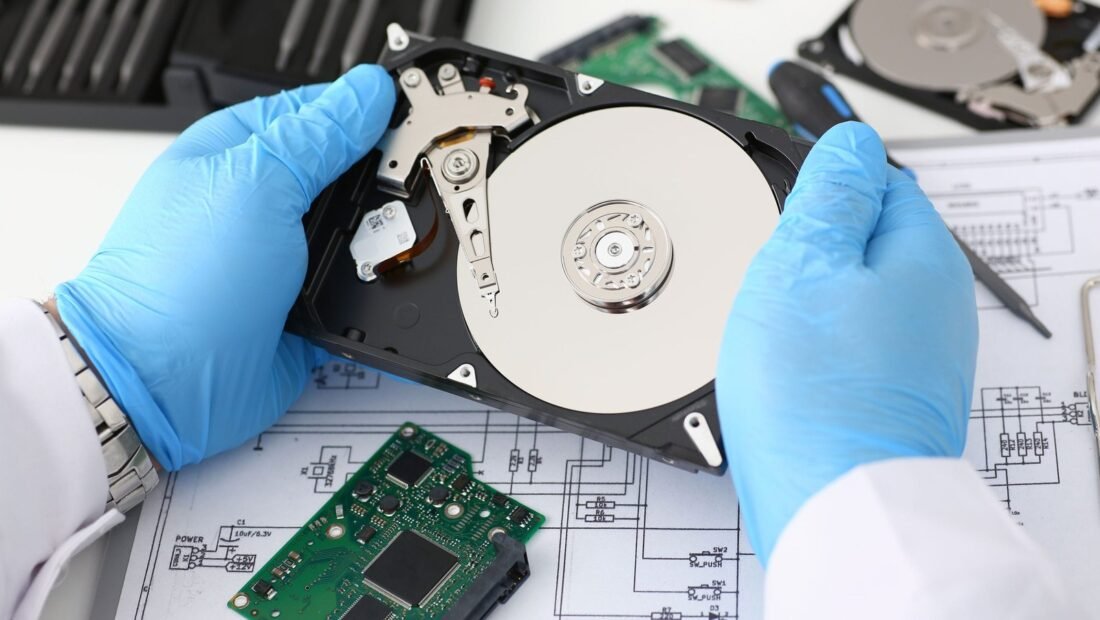
The sound is small, and everybody who has heard it remembers it: a soft, regular clicking from the external drive that holds ten years of photos, followed by the computer quietly pretending the drive is not there. This is the moment people type “data recovery cost” into a search bar with their stomach on the floor — and the honest answer spans a painful range. Professional recovery runs from about $300 for simple logical failures to $1,000–$2,000 or more for physically damaged drives. Why the range is so wide, and which end of it you are actually on, depends on what is happening inside that clicking box.
Two Kinds of Failure, Two Different Worlds
Every quote in this industry sorts into one of two buckets, and they barely overlap. Logical failures mean the hardware is fine but the data’s organization is broken: deleted files, a corrupted partition, a drive that was accidentally formatted, a file system that no longer knows where anything is. The drive spins, the computer sees it, nothing is physically wrong. Recovery is a software problem — careful, skilled, but software — and it prices accordingly, typically $100 to $400.
Physical failures mean the machine itself is hurt: the clicking drive (a read/write head crashing or stuck), a drive that was dropped, water or fire damage, a motor that no longer spins, electronics fried by a power surge. Now the data has to be rescued from damaged hardware before it can even be read, and that is laboratory work. The data recovery process described in reference terms sounds bloodless; in practice it resembles transplant surgery, and it prices like it too — $700 to $2,000 and up.
What the Laboratory Actually Does for That Money
Understanding the process makes the bill less mysterious. For a physically damaged drive, technicians open it in a cleanroom — a filtered-air environment, because a single speck of dust between the head and the platter can finish what the drop started. They replace failed parts (heads, motors, control boards) with matching components from donor drives, which the lab sources and stocks by the shelf-load. Then they image the drive: sector by sector, slowly, with hardware imagers that can coax data off unstable platters and skip and return to damaged areas over hours or days, without asking the dying drive to do any organizing work itself.
Only after a complete image exists does the logical work begin — rebuilding the file system from the copy and extracting your files. That specialized labor, the cleanroom, the donor-parts library, and the days of imaging time are what push physical recoveries past $1,000. You are not paying for someone to run a program. You are paying for a small hospital for hard drives.
The Cost Tiers, Put Plainly
- DIY software territory — $0 to $100: deleted files or a formatted drive that still spins and is recognized by the computer. Software such as Disk Drill or R-Studio ($80–$100) can often do this job, with one iron rule covered below.
- Professional logical recovery — $100 to $400: the drive works physically but the corruption is beyond your appetite for risk, or the data matters too much to practice on.
- Professional physical recovery — $700 to $2,000+: clicking, dropped, drowned, or dead drives needing cleanroom work and donor parts. SSDs and RAID arrays have their own complications and sit toward the top of the range.
- Rush service: standard turnaround is typically 5–10 business days; expedited 24–48 hour service costs 50 to 100 percent more, which is worth knowing before you are desperate enough to pay it.
Pricing Models and the Two Protections to Insist On
Reputable labs share two policies, and you should treat both as non-negotiable. The first is a free evaluation: they examine the drive, tell you what failed and what recovery would cost, and you decide with the facts in hand. The second is no data, no fee: if they cannot recover the files you need, you do not pay the recovery price. A lab that wants a large non-refundable sum up front, before diagnosis, is telling you something about itself — listen. Ask also what “recovered” means in the quote: a file list you approve before paying is the professional standard, because a “successful” recovery of everything except your photos folder is not a success.
The DIY Boundary: One Rule That Decides Everything
If your failure is logical — the drive spins normally, makes no new noises, and shows up on the computer — trying recovery software first is reasonable and often works. But the iron rule governs all of it: never write anything to the drive you are recovering from. Install the software elsewhere, recover files to a different drive, and treat the patient as read-only. Deleted files survive only until new data lands on top of them; every save, download, and “quick fix” on that drive is quietly paving over what you want back.
If the drive clicks, grinds, beeps, or is not detected at all, the DIY chapter is closed — full stop. Running a dying drive to “try one more thing” converts recoverable damage into unrecoverable damage, because a crashing head scores the platter surface every time it spins. Power it down, leave it down, and let the first hands that open it be the cleanroom’s. This single decision — stopping — is responsible for more saved data than any software ever written.
Phones, SSDs, and RAID: Where the Rules Change
Everything above describes spinning hard drives. Modern storage rearranges the picture in ways worth knowing before you need it. SSDs have no moving parts to repair, so “physical recovery” means board-level electronics work and chip-level reading — a specialty fewer labs offer, priced at the top of the range. Worse, SSDs run a housekeeping process called TRIM that actively erases deleted data in the background; a file deleted from an SSD is often genuinely gone within hours, where the same file on a hard drive might have survived for months. Speed cuts both ways.
Phones are the hardest case of all. A dead phone’s storage is soldered to its board and encrypted with keys tied to that board, so recovery usually means repairing the phone itself to a bootable state — board-level micro-soldering work — and costs reflect it, commonly several hundred dollars and up, with passcodes as an absolute wall: no reputable lab can or will bypass the encryption on a modern phone. RAID arrays multiply everything — multiple drives, a configuration that must be reconstructed exactly — and belong exclusively in professional hands from the first minute; rebuilding a RAID the wrong way is one of the classic ways recoverable data becomes unrecoverable. The common thread: the newer and more integrated the storage, the less DIY exists, and the more the first decision (stop, power down, call a lab) is the whole game.
Choosing a Lab Without Getting Burned
The industry has excellent firms and a fringe that preys on panic, and three checks separate them quickly. First, the free-evaluation and no-data-no-fee policies already mentioned — a fringe operator replaces them with a large “diagnostic fee” and a quote that doubles after the drive is in their hands. Second, verifiable existence: a real address, a cleanroom they can describe in specifics, and reviews that mention file lists and communication rather than just stars. Third, how they handle your drive’s journey — insured shipping guidance, chain of custody, and a clear answer to “what happens to my drive if I decline the quote” (the correct answer is that it comes straight back). Your data, remember, is not just valuable; it is private. A lab that cannot talk plainly about how recovered data is stored, transferred to you, and then wiped from their systems has failed an interview question that matters.
The Decision, and the $60 Lesson
Only you can value what is on the drive. Family photos that exist nowhere else justify the cleanroom to most people; a drive full of re-downloadable movies justifies nothing at all. Weigh the quote against a clear-eyed inventory of what is actually on there and what truly cannot be replaced — that framing turns a panic decision into a purchase.
One practical step while you decide: photograph the drive’s label and write down its model and serial numbers before it goes anywhere, and keep the failed drive’s story in one honest paragraph — what happened, when, what sounds it made, what you already tried. Labs genuinely diagnose faster with a truthful history, and the detail people most often hide — “I ran some software on it first” — is the detail that most changes the prognosis. There is no penalty for having tried; there is only a penalty for the lab discovering it mid-recovery.
And then, the sentence every recovery lab customer eventually says: a $60 external drive, or a cloud plan at about $7 a month, makes this entire nightmare irrelevant. The 3-2-1 pattern — three copies, two different types of storage, one off-site — is the standard answer, and our guide to backing up family photos with the 3-2-1 rule lays it out in full. Data recovery is a fine industry and sometimes the only door. But it is a door nobody walks through twice without buying a backup on the way out.




1 Comment