
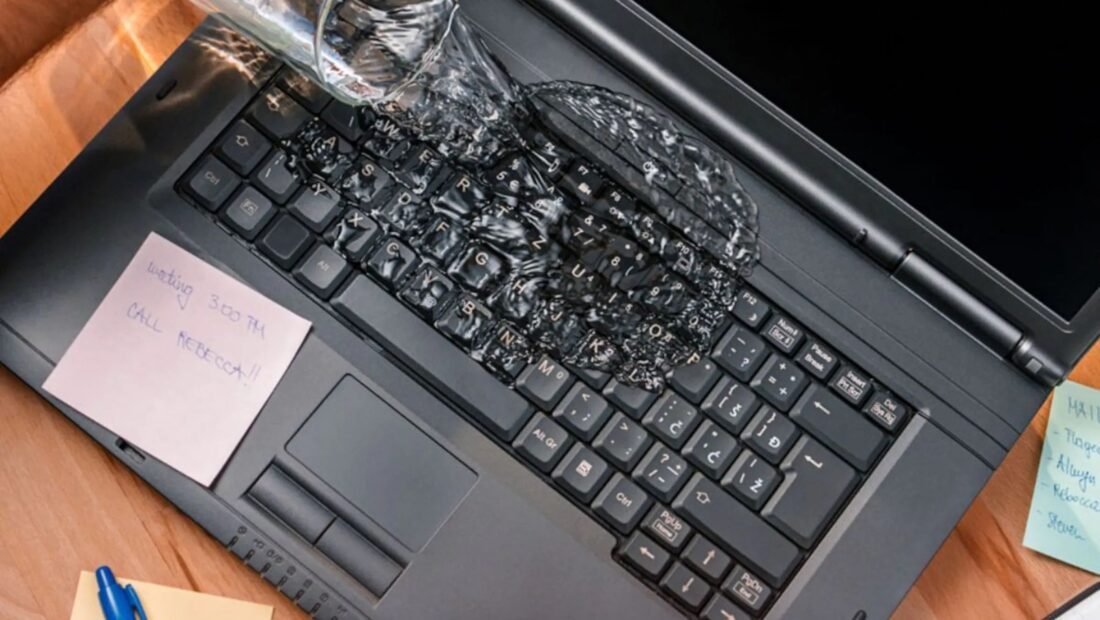
Nobody wakes up excited to figure out what should I do if I spill water on my laptop, but here we are — and honestly, it’s worth getting right. A little knowledge upfront can save you real money, real time, or a real headache. I learned several of these lessons the expensive way so you don’t have to.
This guide covers the essentials without the filler: what’s normal, what to watch out for, step-by-step actions that work, and a clear bottom line. Skim the headings if you’re in a hurry, or read the whole thing if you want to get it right the first time.
What Should I do if I Spill Water on my Laptop: What You Need to Know
Water on a laptop is a race against the clock — what you do in the first 60 seconds matters more than anything that happens later. Electricity plus water equals short circuits and corrosion, and both get worse with every passing minute. Here’s exactly what to do, in order, the moment liquid hits your keyboard.
Step one: power off immediately. Don’t save your work, don’t shut down gracefully — hold the power button until it’s dead. Every second of electricity flowing through wet circuits risks permanent damage. If it’s plugged in, yank the power adapter too (grab the plug, not the cord, and only if your hands are dry). If that sounds familiar, you may also want our guide to What is a Vpn and do I Need One for Everyday Browsing.
Looking Closer at Your Options
Step two: flip it upside down. Turn the laptop over so the keyboard faces down, ideally tented in an upside-down V so water drains out instead of deeper in. If the battery is removable — rare on modern laptops, but check — take it out now. Remove any USB drives, dongles, and the charger. You can also check Consumer Reports’ buying advice for the authoritative details.
Step three: blot, don’t wipe. Use a dry towel or paper towels to dab up visible liquid. Wiping pushes water deeper into the keyboard; blotting lifts it out. Get between the keys as best you can, then leave the laptop upside down in a dry, airy spot — a room with a fan is ideal.
Smart Moves to Make Now
- 1. Power off IMMEDIATELY — hold the button; don’t save work first.
- 2. Unplug everything and flip the laptop keyboard-down to drain.
- 3. Blot (don’t wipe) visible liquid with a dry towel.
- 4. Wait 48–72 hours minimum before powering on — no peeking.
- 5. Rice is a myth; airflow and patience actually work. No hot hair dryers.
- 6. Sugary spills need professional cleaning ($75–$150) even if it seems fine.
- 7. Test every key, port, and speaker when you power back on.
Breaking It Down Further
Step four is the hard one: wait. Minimum 48 hours, ideally 72, before even thinking about turning it on. I know the urge to ‘just check’ is overwhelming, but powering up too early is how a survivable spill becomes a dead motherboard. Water hides under chips and inside connectors long after the surface looks dry.
Now let’s kill some myths. Rice doesn’t help — it’s barely more absorbent than air, and rice dust and starch can gum up your keyboard worse than the water did. Silica gel packets are better if you have a pile of them, but plain airflow beats both. And never use a hair dryer on hot: heat warps plastic and drives moisture deeper. Cool air from a fan is fine; hot air is not. Worth reading next: How Can I Tell if a Usb Cable Supports Fast Charging.
If it was more than a small splash — a full glass, coffee, soda, or anything sugary — take it to a repair shop after drying, even if it seems to work. Sugary and acidic liquids leave corrosive residue that eats circuits over weeks and months. A professional ultrasonic cleaning costs $75 to $150 and is the difference between a laptop that works today and one that dies mysteriously in three months.
Mistakes That Cost People Money
- Shutting down ‘properly’ through the Start menu while water spreads inside — hold the power button instead.
- Powering on after a few hours because the outside ‘looks dry’ — moisture hides under chips for days.
- Using rice, which adds starch dust to the problem, or a hot hair dryer, which warps components.
- Assuming a working laptop is a saved laptop after a soda spill — corrosion kills slowly over weeks.
Questions People Ask
Will my laptop be OK if it was just a few drops?
Probably, yes — small splashes on the keyboard that you dry quickly often cause no damage. Still give it several hours upside down before using it, to be safe.
Does homeowners or renters insurance cover spills?
Sometimes — accidental damage to electronics may fall under personal property coverage, minus your deductible. Credit cards with purchase protection may also cover recent purchases.
How much does professional water-damage repair cost?
Diagnosis and cleaning runs $75–$150; if the motherboard is damaged, $200–$400+. Get a quote before authorizing major work on an older machine.
How often should I restart my phone and computer?
A weekly restart is a good habit for both phones and computers. It clears temporary memory glitches, finishes pending updates, and kills runaway background processes that drain battery and slow things down. You don’t need to power off nightly — modern devices handle standby well — but if something starts acting strangely, a restart is always the first troubleshooting step worth trying.
Is it safe to buy refurbished electronics?
Yes, when you buy from reputable sources. Manufacturer-refurbished programs (Apple, Dell, Samsung) include new batteries or thorough testing plus a full one-year warranty — often indistinguishable from new. Third-party refurbishers like Back Market add their own warranties. Avoid no-name sellers with 30-day warranties and no return policy; the seller matters more than the ‘refurbished’ label.
The Bottom Line
Kill the power, flip it over, blot, and wait 48–72 hours — that sequence saves more laptops than anything else. Skip the rice, skip the hair dryer, and get sugary spills professionally cleaned. Act fast in minute one and be patient for the next three days.
Related: our breakdown of Why Does my Laptop Overheat When I Watch Videos covers the numbers in detail.
If you remember one thing, make it this: don’t rush the decision. The few minutes you spend comparing options here will pay for themselves many times over.



