
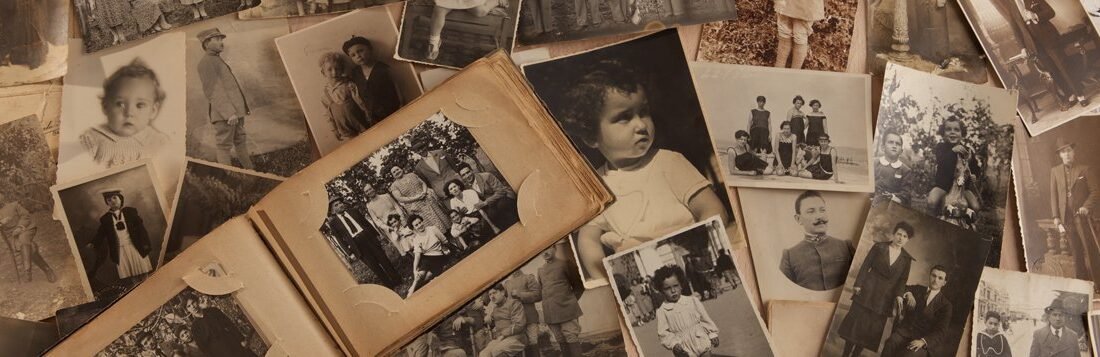
Everyone has the box — or the closet, or the attic corner — full of old family photos and albums. Fading prints, mysterious relatives, albums from the ’80s with the sticky pages. Mine sat untouched for a decade because the project felt enormous. Then I did it in stages, and it became one of the most rewarding things I’ve ever finished.
What to do with old family photos and albums comes down to three jobs: preserve them (digitize), organize them (so they can be found), and enjoy them (so they don’t just become tidier boxes). Do them in that order and the project stays manageable.
Here’s the step-by-step, including the mistakes to avoid with fragile old prints.
Step 1: Digitize Before Anything Else
Digitization is job one because physical photos degrade — and disasters happen. You don’t need fancy equipment: a smartphone with a scanning app (Google PhotoScan is free and excellent, removing glare automatically) handles most prints well. For the important ones, a flatbed scanner at 600 DPI gives archival quality. Do the oldest and most fragile first; they’re on a clock.
Work in batches — one album or one box per session — and back up three ways: an external hard drive, a cloud service, and (for the irreplaceable core) a copy with a family member in another location. The 3-2-1 backup rule (three copies, two media types, one offsite) exists for exactly this kind of irreplaceable data. Future generations will thank you; so will you after the next basement flood story.
Handle old prints carefully: clean hands, no food or drinks nearby, and don’t try to peel photos stuck in those old magnetic albums — you can tear them. For stuck photos, dental floss slid gently underneath works, or scan them in place. The Library of Congress preservation guides have detailed advice for truly fragile or historic items.
Step 2: Organize So They Can Be Found
A thousand scanned photos in a folder called ‘scan001’ is barely better than the box. Organize by decade, then by event or family branch — whatever matches how your family remembers things. Name files descriptively: ‘1987-07-04-grandma-birthday.jpg’ beats ‘IMG_0042.jpg’ forever. It’s tedious and it’s the difference between an archive and a pile.
Identify people now, while someone remembers. Sit with the oldest family member and a laptop, go through the mystery photos, and record names. Use a voice recorder — the stories they tell about the photos are as valuable as the identifications. This is urgent in a way the rest isn’t: memories are more fragile than paper.
For the physical originals after scanning: keep the best in archival-quality albums or boxes (acid-free — regular cardboard and ‘magnetic’ albums damage photos over time), stored cool, dry, and dark. Attics and basements are the worst spots (heat, humidity, floods); a closet in the living area is far better. It’s okay to discard blurry duplicates and the 47 near-identical shots — curate boldly.
Step 3: Enjoy Them (The Point of All This)
Preserved and organized photos that nobody looks at are just well-managed clutter. Make them visible: a digital photo frame ($30–$50) cycling through family history is the easiest win — it turns thousands of scans into daily joy. Print the best 20–50 as a photo book; services make this cheap and the result gets handled, unlike a hard drive.
Share strategically: create a shared family album online where relatives can view, identify, and add their own scans — you’ll be amazed what cousins have. Use photos as gifts: framed prints for grandparents, a photo book for a milestone birthday, the old family home printed large for a parent. These gifts consistently outperform anything store-bought.
And use them as connection: a rainy weekend photo-organizing session with family turns a chore into storytelling time. The photos are the excuse; the stories are the treasure. That’s what the box was always for.
What to Do With Old Family Photos and Albums: The Sharing Strategy
Here’s the thing about family photo archives: they’re more valuable shared than hoarded. Once you’ve digitized, distribute deliberately. Create a shared cloud album and invite the whole extended family — then watch what happens. Cousins add their own scans, someone identifies the mystery relatives, and the archive becomes a collaborative family project instead of your solo burden. I’ve seen dormant family group chats come alive over a single uploaded photo of grandparents’ wedding. The photos want to be social; let them.
Consider the ‘photo inheritance’ conversation proactively. In every family, one person ends up as the archive keeper — usually whoever cares most, which might be you. Have the explicit conversation with siblings and parents: who wants the originals, who wants digital copies, what’s the plan for the fragile heirlooms? Doing this while everyone is healthy and agreeable prevents the painful fights that erupt when it’s done under grief. Write down the decisions. And make the archive findable: a labeled hard drive, a shared cloud folder, a one-page ‘where everything is’ document. Future generations shouldn’t need archaeology to find their own history. For the storytelling side, a neighborhood book club memoir month pairs beautifully with family history.
Photo Project Action Plan
- Gather every photo straggler into one place first
- Scan oldest/most fragile prints first (phone app is fine)
- Scan at 600 DPI for archival quality on important ones
- Back up 3-2-1: hard drive + cloud + offsite family copy
- Name files descriptively: date-event-people
- Record identifications with oldest relatives ASAP (voice recorder!)
- Store originals in acid-free boxes, cool/dry/dark — not attic/basement
- Discard blurry duplicates; curate boldly
- Load a digital photo frame with favorites
- Print a ‘best of’ photo book
- Create a shared family album for crowd-sourced identifying
- Gift framed prints and photo books for occasions
Start With One Box
Don’t try to do it all. This weekend, grab one box or one album, scan it with your phone, and back it up. That’s a complete, finished unit of progress. Next month, another. The project that gets done in twelve monthly sessions beats the perfect system that never starts.
And do the grandparent interview soon — this week if you can. The photos will keep; the stories won’t. Every family has a historian, and right now, it’s you.




1 Comment