
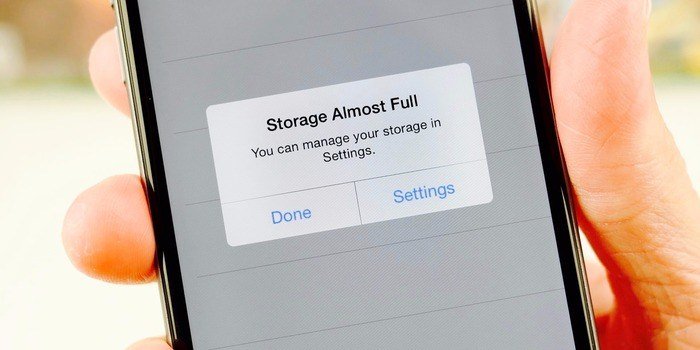
The storage question ambushes everyone in the same place: standing in the phone aisle (or staring at the online equivalent), where 128GB is cheaper, 256GB is “recommended,” and a salesperson’s eyebrow suggests 512GB is what serious people buy. Will you regret the cheap one in a year? Will you pay $100 extra for space you never touch? The honest answer is arithmetic, not vibes — your photos, videos, and apps have knowable sizes, and so does your life with them. Start with the checklist that matches most people to a size, then run the numbers underneath it to check the match against your own phone.
The Checklist: Match Yourself First
- 128GB is genuinely fine if: your phone is mostly calls, messages, browsing, and social apps; you take under about 500 photos a year; you stream music and video rather than downloading them; and you use cloud photo backup. Roughly 85 to 100GB of it is actually yours to spend (see below).
- 256GB is the sweet spot if: you take photos freely, keep some downloaded playlists, podcasts, or shows for travel, play a few real games, and intend to keep the phone three years or more. This is most people, which is why it is the recommendation you will hear — for once, the middle option is popular because it is right.
- 512GB (or more) earns its price if: you shoot a lot of 4K video, keep large offline libraries (films, audiobooks, maps), play several big mobile games at once, or use the phone as a work tool with local files. Video people know who they are; if you are wondering whether you are one, you are not.
The Invisible Tenants: System and Apps
Before your first photo, the phone spends some of itself. The operating system and preinstalled software eat 15 to 25GB on a modern phone — the “128GB” on the box is the building, not your apartment. Your essential apps (social media, banking, maps, messaging, music) add another 10 to 20GB, and they grow: caches swell, offline data accumulates, and the messaging app you have used for three years is quietly holding every photo and video ever sent to you. Budget for both tenants and the 128GB phone really gives you about 85 to 100GB of usable room — still plenty for the light user in the checklist, but the reason heavy users feel a 128GB phone “fill up by itself.” It does not fill by itself. It arrives a quarter full and then hosts your life at market rates.
Photos: Smaller Than You Fear
Now the content itself. A typical smartphone photo is 3 to 5MB. Even a cheerful photographer taking 1,000 to 1,500 photos a year — a picture or four a day — adds only 5 to 7GB annually at normal quality. Three years of that is 20GB: noticeable, not decisive. The exception wears a “Pro” badge: high-resolution and ProRAW modes produce individual shots of 25 to 75MB, so a photography hobbyist can spend in a weekend what a normal user spends in a year. If you shoot in those modes deliberately (you will know — you turned them on), step up a size without debating it.
Video: The Actual Storage Monster
Video is where storage goes to die, and the numbers deserve memorization. One minute of 4K footage costs about 400MB. A ten-minute birthday video is 4GB — as much as a thousand normal photos — gone before the candles are blown out. An hour of 4K from a school play or a holiday is 24GB, which is why video-shooting parents are the people whose phones announce “storage full” at the worst possible moment, mid-event, every time. Dropping your default recording to 1080p cuts that by about two-thirds and looks identical on a phone screen; keeping 4K only for deliberate filming is the single biggest storage decision most people control. If you will not compromise on 4K (filmmakers, grandparents with a mission), the storage upgrade is not an upsell — it is the cost of the hobby.
Games, Downloads, and the Cloud Pressure-Valve
Games deserve one sentence of respect: premium mobile games run 5 to 15GB each installed, and three of them out-eat a year of photos. Downloads — offline Netflix, podcast backlogs, Spotify libraries — are the controllable kind of full: they can always be deleted and re-fetched, which makes them the first place to look and the last reason to buy storage. And over everything hangs the cloud. Services like iCloud and Google One let a 128GB phone hold a huge library by keeping originals online and small versions on the device — a few dollars a month rents the pressure valve that a $100 storage upgrade buys outright. Neither is strictly better: the upgrade is a one-time payment and works with no connection; the cloud is cheaper this year and follows you to the next phone. Households with several devices usually find the cloud wins on arithmetic alone.
The Elephant: Your Messaging Apps
When a phone that “only has photos” turns out to be full, the audit almost always ends in the same place: the messaging apps. Every photo, video, voice note, and document ever received sits inside WhatsApp, Telegram, or Messages, quietly compounding — families that share videos daily can accumulate tens of gigabytes without a single deliberate save. Worse, the default in many apps is to keep everything forever and to auto-download media on mobile data as well as Wi-Fi. This is why two people with the same photo library can differ by 40GB of used space, and it is why the honest aisle math includes a line for your group chats. If you live in video-heavy family groups (many people do, happily), that is not light usage whatever your camera roll says — size the phone for the messages too, or make a yearly ritual of exporting and clearing the big threads.
Does Anyone Need a Terabyte?
Manufacturers now sell 1TB phones, and the honest use cases are narrower than the shelf suggests. Working video creators shooting ProRes or high-bitrate footage on the phone itself: yes, genuinely, because their files run to gigabytes per minute and offload windows are rare. Everyone else is looking at a luxury, not a need — and unusually, it is a luxury with a catch, since the largest storage tiers are usually bundled into the most expensive model in the line, so the terabyte quietly costs far more than the storage. The sane way to read the top tier is as a creator tool priced for people whose phone is their camera truck. For the rest of the aisle, 256GB with cloud backup remains the arithmetic champion, and the money saved buys the case, the charger, and the first year of cloud storage with change left over.
How to Measure Your Own Life in Two Minutes
All of the above generalizes; here is the personal version, using the phone in your hand. Open Settings and look at the storage screen: it shows, in order, what is actually eating your current phone — the true biography of your usage, not the aisle’s guess at it. Note the total used and the top three categories. Then ask one forward question per category: photos and video grow with your habits (multiply your years of ownership), apps grow slowly, messages grow with your family’s enthusiasm. Add those futures together, add the 15-to-25GB the new phone will reserve for itself, and you have your number — the rare buying decision that can be made from evidence on a screen you already own. People are often surprised in the useful direction: the phone that “feels full” turns out to be 60 percent one fixable category, and the person who assumed they needed 512GB discovers a 180GB life.
The Two-Year Test and the Verdict
One final correction to aisle thinking: you are not buying storage for the photographer you are today but for the one carrying this phone in year three, when the photo library has tripled and the apps have fattened. Storage regret is always retrospective — nobody has ever stood in a store regretting space they might need later; they regret it at a school play. So run your honest version of the checklist, add your video habit at its true exchange rate (400MB a minute), and if the math lands within about 20GB of a boundary — in either direction of doubt — buy the bigger phone and close the question for three years. Space you grow into is a bargain you will never think about again, which is the best kind; space you run out of is a daily tax paid in deleted photos and missed moments. And when the current phone does fill up — they all do eventually — the cleanup is cheaper than the regret: our guide to freeing up storage on an Android phone (the iPhone version of the same discipline differs only in menu names) routinely recovers 5 to 20GB in fifteen minutes.



