
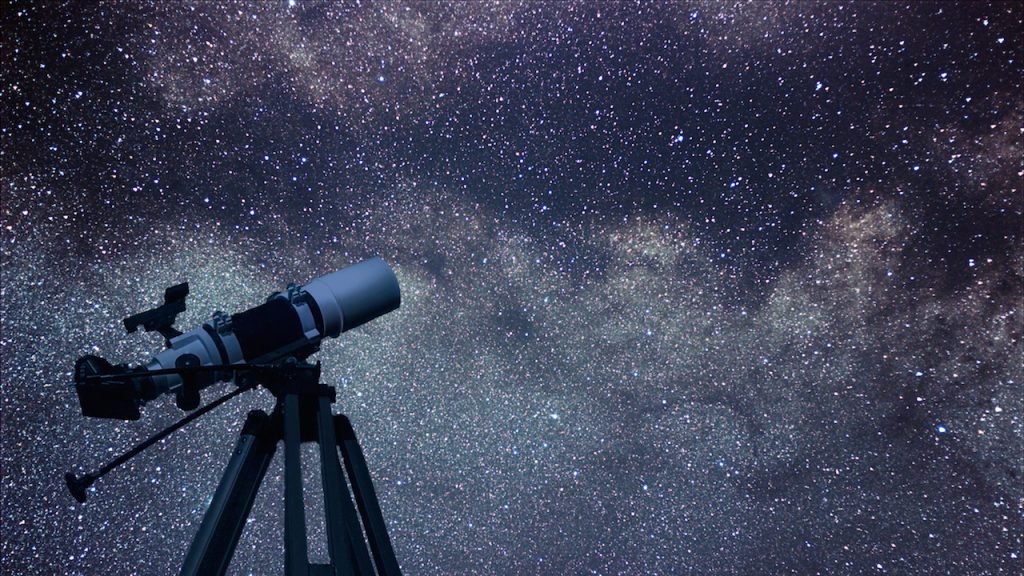
A GoTo telescope mount is a computerized mount that points your telescope at celestial objects automatically. You pick a target — Saturn, the Orion Nebula, a distant galaxy — on a hand controller or phone app, and motorized axes swing the telescope to it and track it as the Earth rotates.
But there’s a catch beginners always trip over: a GoTo mount doesn’t know where it’s pointing until you teach it. Here’s how the whole system works, why alignment is everything, and whether a GoTo mount is right for you.
Readers can also follow related coverage through UK Journal Magazine’s UK coverage.
What a GoTo Mount Actually Is
Strip away the marketing and a GoTo mount is three things working together:
- Two motorized axes that move the telescope precisely in two directions.
- A computer (the hand controller or an onboard processor) loaded with a database of celestial objects — typically 40,000+ stars, planets, nebulae, galaxies, and star clusters, with their exact coordinates.
- An alignment routine that teaches the computer how the mount is oriented relative to the sky.
Once aligned, the computer does the spherical math: it knows where the mount is, where the target is, and exactly how far to rotate each axis to get there. Then the motors execute. The whole “go to” magic is really just coordinate geometry plus decent motors.
How Alignment Works (The Part Everyone Skips)
This is the step that makes or breaks your night. A GoTo mount fresh out of the box knows nothing — it needs reference points. Here’s the typical routine:
- Level the tripod and enter your data. Set up on level ground and input your location (latitude/longitude), date, time, and time zone. Many modern mounts have built-in GPS that handles this automatically. Getting this wrong is the #1 cause of bad GoTo accuracy, so double-check it.
- Pick your first alignment star. The hand controller suggests a bright star — say, Vega or Arcturus. The mount slews to where it thinks that star is.
- Center it in the eyepiece. It won’t be perfect. Use the direction buttons to nudge the star into the exact center of a low-power eyepiece, then confirm. Swap to a higher-power eyepiece and center it again for better precision.
- Repeat for a second (and ideally third) star. The mount slews to the next suggested star; you center and confirm again. Choose alignment stars at least 60° apart — one in the east, one in the west — for the best accuracy.
- “Alignment successful.” The computer now has enough reference points to model exactly how your mount sits under the sky, including small errors in leveling. From here, slewing to any object in the database should land it within the field of a medium-power eyepiece.
The whole process takes 5–10 minutes once you’ve done it a few times. Premium systems like Celestron’s StarSense skip the manual part entirely — a small camera photographs the sky and calculates the alignment for you.
Alt-Azimuth vs. Equatorial GoTo: What’s the Difference?
GoTo mounts come in two flavors, and the choice matters more than most beginners realize.
Alt-azimuth (Alt-Az) GoTo
Moves up-down and left-right, like a camera tripod. Simpler, lighter, cheaper, and faster to set up — great for visual observing. The downside: as it tracks an object across the sky, the field of view slowly rotates. For visual use you won’t notice, but for astrophotography exposures longer than about 30 seconds, stars start trailing into odd shapes.
Equatorial (EQ) GoTo
One axis is tilted to align with Earth’s rotational axis (pointed at Polaris in the Northern Hemisphere). Once polar-aligned, tracking a star requires rotating just that one axis at a constant rate — no field rotation, which makes it the right choice for astrophotography. The trade-off: heavier, more expensive, and setup takes longer since polar alignment is its own skill.
Bottom line: visual observing under light-polluted skies → Alt-Az GoTo. Serious astrophotography → Equatorial GoTo. As Space.com’s GoTo guide notes, the two designs serve genuinely different purposes despite sharing the same computerized brain.
What GoTo Mounts Are Great At
- Finding things in light pollution. In a city, you might see a dozen stars with your naked eye. A GoTo mount doesn’t care — it slews to objects you could never star-hop to.
- Beginner friendliness. You can start observing impressive targets on night one, with zero knowledge of constellations.
- Tracking. Once on target, the motors compensate for Earth’s rotation, keeping the object centered. At high magnification, where objects drift out of view in under a minute manually, this is transformative.
- Touring the sky. Many hand controllers offer guided tours — “tonight’s best” lists that walk you through the highlights.
The Honest Downsides
- They need power. No battery, no GoTo. Cold weather drains batteries fast — experienced observers carry spares or a portable power tank.
- Setup takes longer. A manual Dobsonian is observing in two minutes. A GoTo rig needs leveling, data entry, and alignment — budget 15–20 minutes.
- They can fail in ways manual mounts can’t. Dead batteries, corrupted alignment, software glitches. Always learn a few bright targets manually as backup.
- Cost. The computerization adds hundreds of dollars versus an equivalent manual mount. That money buys convenience, not better optics.
Do You Need a GoTo Mount?
Ask yourself three questions. Do you observe from light-polluted skies? Are you mainly interested in looking at things rather than learning star-hopping? Is astrophotography on your roadmap? A “yes” to any of these means a GoTo mount will genuinely improve your experience.
If you observe from dark skies and want maximum aperture per dollar, a manual Dobsonian gives you a bigger telescope for the same money. For setup pointers, Sky at Night Magazine’s alignment walkthrough is one of the clearest step-by-step references available.
GoTo Mount FAQs
How accurate is a GoTo mount?
With a careful 2- or 3-star alignment, expect targets to land within the field of a medium-power eyepiece — good enough that a small nudge centers them. Sloppy alignment (rushed centering, wrong time/location data) is the usual cause of “my GoTo doesn’t work” complaints.
Can I use a GoTo mount without aligning it?
You can use it as a motorized manual mount — the tracking motors still work — but the “go to” part won’t function. Alignment is what makes it a GoTo.
Do GoTo mounts work for astrophotography?
Equatorial GoTo mounts, yes — they’re the standard platform for deep-sky imaging. Alt-Az GoTo mounts work for short exposures of the Moon and planets (under ~30 seconds) but suffer field rotation on longer shots.
What happens if someone bumps the telescope?
The alignment is ruined and you’ll need to redo it. This is why experienced observers set up away from foot traffic — and why some attach blinking red LEDs to their tripod legs so people see the rig in the dark.
Is a GoTo telescope good for beginners?
It’s the most beginner-friendly way to see impressive objects quickly, especially from cities. Just don’t let it become a crutch — learning a handful of constellations will make you a better observer regardless of your mount.
The Bottom Line
A GoTo mount works by combining a database of 40,000+ celestial coordinates with motorized axes and a star-alignment routine that teaches it the sky. Once aligned, it finds and tracks targets automatically — a genuine superpower under light-polluted skies and the standard platform for astrophotography. It costs more and takes longer to set up than a manual mount, but for most beginners, the trade is worth it: less frustration, more time actually looking at the universe.
