
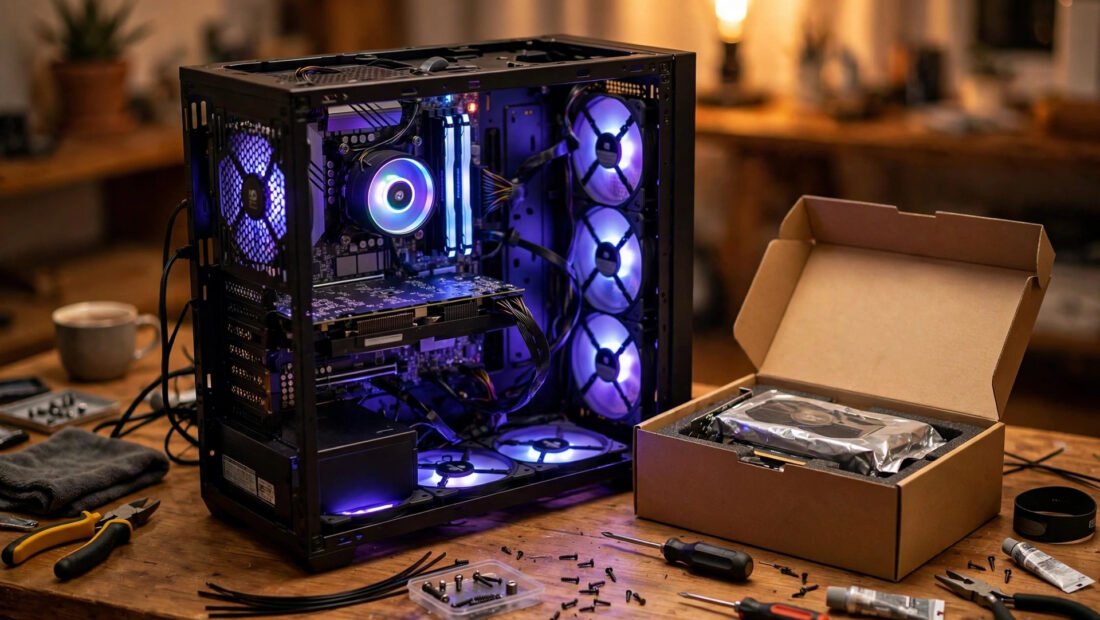
Building a gaming PC on a budget in 2026 sounds like a contradiction — but the budget market is quietly the best it’s been in half a decade. Mid-range parts have gotten so good that a carefully planned $700–$900 build runs modern games at 1080p high settings without breaking a sweat. And Texans have one unfair advantage: a Micro Center near Houston and Dallas, where CPU-plus-motherboard bundles can shave $100 or more off your build.
This guide walks you through the whole process — setting a realistic budget, picking parts that won’t bottleneck each other, and screwing everything together on your kitchen table. By the end, you’ll have a complete parts list and the confidence to do it yourself.
Set Your Real Budget Before You Touch a Parts List
The number-one mistake first-time builders make is shopping for parts before deciding what they’re willing to spend. Prices are emotional; a $40 jump here and a $60 jump there turns a $700 plan into a $1,100 build before you’ve even bought a case. So lock in your number first, and include everything: the tower, the monitor if you need one, a Windows license or your free Linux alternative, and peripherals.
In 2026, the budget tiers look roughly like this. At $550–$700, you’re in entry-level 1080p territory — great for esports titles like Valorant, Fortnite, and Rocket League at high frame rates, and playable (40–60 fps) in heavier single-player games at medium settings. At $800–$1,000, you hit the sweet spot: smooth 1080p high/ultra in nearly everything, and even respectable 1440p in many titles. At $1,100–$1,300, you’re flirting with genuine 1440p performance that embarrasses consoles costing nearly as much once you add their subscription fees.
Pick the tier that matches your monitor. If you’re gaming on a 1080p 144Hz display, the $800–$1,000 range is your target. Don’t build a 1440p monster for a 1080p screen — that’s money you literally cannot see.
Where the Money Actually Goes: The 2026 Parts Hierarchy
Not all parts matter equally for gaming. Roughly half your budget should land on the graphics card, and the rest gets distributed by importance. Here’s the priority order that experienced builders follow:
1. Graphics card (GPU) — the heart of the build
The GPU does the heavy lifting in games, full stop. In the budget space, the used market is your best friend: last-generation cards like the RTX 3060 Ti, RTX 4060, or AMD’s RX 6700 XT regularly show up on eBay, Facebook Marketplace, and the r/hardwareswap community for $180–$280, and they crush 1080p gaming. If you prefer new-with-warranty peace of mind, budget cards in the $220–$300 range offer solid 1080p performance with modern features like DLSS or FSR upscaling, which effectively gives you free frame rates.
One Texas-specific tip: check Micro Center’s open-box GPU section if you’re near Houston or Dallas. Open-box cards are typically returns that were barely used, discounted 10–20%, and still carry the return policy.
2. Processor (CPU) — don’t overbuy here
For budget gaming, a modern 6-core CPU is plenty. Chips like AMD’s Ryzen 5 5600 or Intel’s Core i5-12400F (both frequently under $130) pair beautifully with budget GPUs and won’t bottleneck them at 1080p. The “F” in Intel’s name means no integrated graphics — fine for a gaming PC, and cheaper. This is also where Micro Center’s famous CPU + motherboard bundle deals shine: walk in, grab a bundle, and you’ve saved enough for a better GPU.
3. Memory, storage, and the rest
Sixteen gigabytes of DDR4 or DDR5 RAM is the 2026 minimum — 8GB will stutter in modern titles. A 1TB NVMe SSD is non-negotiable; games are enormous now (some push 150GB), and a spinning hard drive as your main drive in 2026 is self-sabotage. For the power supply, buy a reputable 550–650W unit with an 80 Plus Bronze rating or better. This is the one part where cheaping out can literally fry everything else, so stick to known brands like Corsair, EVGA, or Seasonic — and it helps to know how much electricity a gaming PC actually uses each month so you can size your PSU sensibly and estimate the running cost on your Texas electric bill.
The case is pure preference at this tier. A $50–$70 case with a mesh front panel and two included fans cools better than a $120 glass box with no airflow. Airflow beats aesthetics every time.
New vs. Used Parts: The Honest Breakdown
About 40% of a budget build’s value comes from the used market, but you need rules. Safe to buy used: GPUs (the biggest savings), cases, and CPU coolers — these either work or they don’t. Buy new: power supplies (a used PSU is a mystery box of risk), storage drives, and motherboards. When buying a used GPU, ask for a photo of it running a benchmark and prefer local deals where you can test it. A card that mined crypto isn’t automatically bad — miners typically undervolt their cards — but replaced coolers or missing screws are red flags. For more on the refurbished question, see our guide on buying a refurbished laptop versus a cheap new one.
A Real $850 Build Recipe for 2026
Here’s a concrete example of what a smart budget looks like right now. Prices fluctuate, but this template holds:
- CPU: Ryzen 5 5600 or Core i5-12400F — ~$120–$140
- Motherboard: B550 (AMD) or B660 (Intel) — ~$90–$110, less with a Micro Center bundle
- GPU: Used RTX 3060 Ti / RX 6700 XT — ~$200–$260
- RAM: 16GB DDR4-3200 — ~$35–$45
- Storage: 1TB NVMe SSD — ~$55–$70
- PSU: 650W 80 Plus Bronze — ~$60–$75
- Case: Mesh-front mid tower — ~$55–$70
- Cooler: Stock cooler (free with CPU) or $25 tower cooler
Total: roughly $640–$755 before tax, leaving headroom for a Windows key, extra fans, or a better GPU. This machine runs Cyberpunk 2077 at 1080p high above 60 fps with upscaling, and demolishes competitive titles at 144+ fps. Once it’s built, browse our roundup of the best new video games for casual players to put your new rig to work.
Where Texans Should Actually Buy Parts
Mix three sources: Micro Center (Houston and Dallas) for CPU/motherboard bundles and open-box GPUs at in-store-only prices; Newegg and Amazon for new RAM, SSDs, and power supplies on rotating sales; and eBay, Facebook Marketplace, or r/hardwareswap for used GPUs, where the savings are biggest. Avoid no-name sellers for PSUs and SSDs — counterfeit drives and fire-hazard power supplies are real, and a deal 40% cheaper than everywhere else is a lesson, not a bargain. For prebuilt alternatives and component reviews, check Consumer Reports’ computer buying guide, and look for ENERGY STAR certified computers to keep long-term electricity costs down.
Assembly Day: It’s Easier Than IKEA Furniture
Modern parts are practically foolproof — connectors are keyed to fit one way. Build order: mount CPU, RAM, and SSD on the motherboard first, attach the cooler, install the board in the case, add the PSU and cables, slot in the GPU last. Budget two to three unhurried hours. If it doesn’t boot: PSU switched on, RAM fully seated, GPU power cables connected, monitor plugged into the GPU — not the motherboard.
Conclusion
For the price of a console plus a couple of years of subscriptions, a budget build gets you a machine that plays everything, doubles as a workstation, and upgrades one part at a time. Set a firm budget, spend half on the GPU, grab a Micro Center bundle if you’re nearby, buy used where it’s safe, and never cheap out on the power supply. Three years from now, you’ll upgrade one graphics card instead of buying a whole new system — and that’s the whole game.
Frequently Asked Questions
Is it cheaper to build a gaming PC or buy a prebuilt in 2026?
Building yourself is still 15–25% cheaper for equivalent specs, with better individual part quality. Prebuilts only win on deep clearance sales or if you value a single warranty over savings.
How much should a beginner spend on their first gaming PC?
$800–$1,000 is the sweet spot for 1080p gaming that stays relevant 3–4 years. Below $600 you’ll compromise on parts that matter; above $1,200 you’re paying for performance most beginners can’t use yet.
Can I build a gaming PC with no experience?
Absolutely. If you can follow a recipe and use a screwdriver, you can build a PC — components are keyed to prevent wrong connections, and video guides cover every step. Most first builds take 2–3 hours.
Do I need to buy Windows for a new PC?
Not at full price. You can install Windows unactivated for free (with a watermark), buy a discounted legitimate key, or run Linux — which handles most games well through Steam’s Proton layer.
How long will a budget gaming PC stay good?
A well-planned $850 build should handle new releases at 1080p medium-high for 3–4 years — and you can extend that by upgrading just the GPU instead of replacing the whole system.
