
Let’s be honest — how can I improve my cell phone signal at home isn’t something most people think about until they’re staring at the problem in real life. That’s exactly when bad decisions happen: you’re rushed, you’re stressed, and the first option looks good enough. I’ve put together this guide so you don’t have to learn the hard way.
What follows is the practical stuff: what to expect, what it should cost or take, the steps that actually work, and the pitfalls I see people fall into over and over. Read it once and you’ll handle this like someone who’s done it ten times.
How Can I Improve my Cell Phone Signal at Home: What You Need to Know
Dropped calls in your own living room, texts that send eventually, data that crawls — bad home cell signal is maddening because you’re paying for service you can’t use where you use it most. The fixes range from free to a few hundred dollars, and the right one depends on why your signal is weak. Let’s diagnose first, then fix.
Start free: enable Wi-Fi calling. This routes your calls and texts over your home Wi-Fi instead of the cellular network — on iPhone it’s under Settings, then Phone, then Wi-Fi Calling; on Android it’s usually under network settings or the Phone app’s settings. If your home Wi-Fi is solid, this single toggle can take you from one bar of misery to perfect call quality instantly. It’s the highest-impact free fix in this entire guide. If that sounds familiar, you may also want our guide to What is the Difference Between an Llc and a Sole Proprietorship.
Looking Closer at Your Options
Next, figure out whether it’s your house or your carrier. Step outside — if you get full bars on the porch but one bar inside, your home’s construction is blocking signal (metal roofs, concrete walls, energy-efficient Low-E windows with metallic coatings are notorious signal killers). If it’s weak outside too, it’s a coverage problem, and no gadget fixes that — but switching carriers might, since coverage varies enormously by location. You can also check Consumer Reports’ buying advice for the authoritative details.
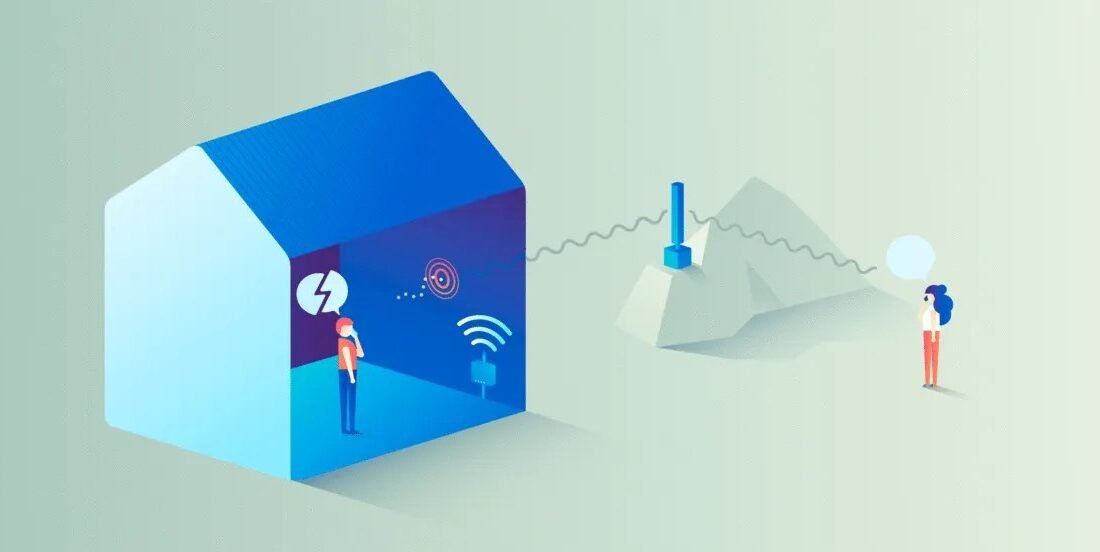
For construction-blocked signal, a cell signal booster is the real solution. A weBoost Home MultiRoom ($400–$550) or SureCall Fusion4Home ($300–$400) uses an outdoor antenna to capture the signal, amplifies it, and rebroadcasts indoors — typically gaining 2–3 bars throughout the house. They’re FCC-approved, work with all carriers, and are the only fix that actually improves the cellular signal itself rather than routing around it. Installation is DIY-friendly: mount the outdoor antenna, run the cable, place the indoor unit.
Your Action Plan
- Free fix #1: enable Wi-Fi calling — routes calls over home Wi-Fi; instant improvement.
- Diagnose: strong outside + weak inside = building blockage; weak outside = carrier coverage problem.
- Signal booster (weBoost $400–$550, SureCall $300–$400): only fix that truly amplifies cellular signal.
- Carrier femtocell ($100–$250): mini cell tower via your internet; carrier-locked.
- Simple wins: ditch metal cases, update carrier settings, try LTE-only in weak 5G areas.
- Last resort: test other carriers with a $10–$15 prepaid SIM for a week in your house.
Here’s What Really Matters
The budget booster alternative: a femtocell or network extender from your carrier. AT&T, Verizon, and T-Mobile all offer small boxes ($100–$250, sometimes free with complaints) that create a mini cell signal in your home using your internet connection. They work well but lock you to one carrier and depend on your broadband — if your internet goes down, so does your ‘cell signal.’
Don’t overlook the simple stuff. Remove thick phone cases with metal components — they measurably attenuate signal. Update your carrier settings (iPhone: Settings, then General, then About — you’ll be prompted if an update exists). And if you’re in a marginal area, switching your phone to LTE-only instead of 5G can actually improve reliability, since phones hunting for weak 5G waste power and drop calls. If that sounds familiar, you may also want our guide to What is the Best Accounting Software for a One-person Business.
If nothing structural helps, consider the nuclear option: switch carriers. Coverage maps lie by omission — the only truth is testing. Borrow a friend’s phone on another carrier, or grab a prepaid SIM for $10–$15 and test for a week in your actual house. People stay with bad carriers for years out of inertia; a $15 test can end the misery permanently. And carriers’ coverage keeps changing as they build, so a carrier that was bad two years ago might be fine now.
Mistakes That Cost People Money
- Buying a booster for a carrier-coverage dead zone — boosters amplify existing signal; they can’t create it from nothing.
- Paying for a femtocell when free Wi-Fi calling would have solved it.
- Blaming the phone when the metal roof or Low-E windows are the actual culprits.
- Staying with a bad carrier for years without spending $15 to test alternatives.
Questions People Ask
Do those ‘signal booster’ stickers and apps work?
No — stickers are scams, and no app can improve radio reception. Real boosters are FCC-certified hardware with outdoor antennas, costing hundreds.
Will a booster help my data speeds too?
Yes — stronger signal means faster data and less battery drain, since the phone’s radio works less hard. Expect meaningful speed improvements, not just more bars.
Can I install a booster myself?
Yes — most home boosters are designed for DIY installation in an hour or two: mount outdoor antenna, run cable inside, plug in indoor unit. No wiring expertise needed.
How often should I restart my phone and computer?
A weekly restart is a good habit for both phones and computers. It clears temporary memory glitches, finishes pending updates, and kills runaway background processes that drain battery and slow things down. You don’t need to power off nightly — modern devices handle standby well — but if something starts acting strangely, a restart is always the first troubleshooting step worth trying.
The Bottom Line
Enable Wi-Fi calling first — it’s free and often sufficient. If your house itself blocks signal, a weBoost or SureCall booster ($300–$550) is the genuine fix. If coverage is just bad, test other carriers with a cheap prepaid SIM. Don’t suffer for years; one of these ends it.
For more on this topic, see How Much Does it Cost to Run Online Ads for a Local Business Per Month — it pairs well with what you just read.
The takeaway is simple — know your options before you’re forced to pick one under pressure. Bookmark this guide, follow the action plan, and you’ll handle it like a pro.



