You don’t need a $200/month piano teacher to start learning in 2026 — but you do need to dodge the app-store minefield of “free” piano apps that are actually subscription traps with three lessons of real content. The good news: a handful of genuinely free apps (plus clever uses of free tiers) can take a total beginner from “which key is middle C” to playing real songs within months. The key is knowing which apps teach music versus which ones just gamify tapping.
Here’s what’s actually worth your home screen, organized by what each app does best.
What Makes a Piano App Worth Using
Before the list, the criteria. A worthwhile app teaches reading, not just reacting — apps that only show falling notes (Guitar-Hero-style) build reflexes, not musicianship. It gives real feedback via your device’s microphone or MIDI, telling you which notes you missed. It progresses logically from single notes to chords to real pieces. And its free tier is genuinely usable — not five lessons and a paywall. Keep these filters in mind and most “top 10 piano app” lists collapse to the same three or four names.
The Best Genuinely Free Options
Simply Piano / Flowkey (free tiers)
The two big names both offer limited free content — enough for your first few weeks. Simply Piano’s free tier covers the absolute basics well; Flowkey’s free songs rotate. Use them to confirm you enjoy the process, then decide whether to pay or move on. Neither free tier sustains months of learning, so treat them as trials, not curricula.
Piano Academy / Perfect Piano (free with ads)
These ad-supported apps offer surprisingly deep free lesson libraries — note reading, rhythm training, and song tutorials without a subscription. The ads are the price; the pedagogy is legitimately decent for beginners. Perfect Piano doubles as a playable on-screen keyboard, handy if you don’t own a keyboard yet and want to test interest before buying one.
Music Tutor / Note Trainer apps (free)
Unsexy but essential: dedicated note-reading drill apps that flash notes and time your recognition. Ten minutes a day on one of these does more for your reading fluency than any gamified lesson. Pair a drill app with any lesson app and you’ll progress twice as fast — reading is the bottleneck for most adult beginners.
YouTube (free, obviously)
The best free piano teacher on Earth is YouTube, full stop. Channels offering structured beginner courses — with real technique instruction, not just song tutorials — rival paid apps. The trick is picking one structured series and following it in order rather than bouncing between random “learn piano in 10 minutes” videos. Search for beginner course playlists with 20+ sequential lessons.
The Hardware Question: What to Play On
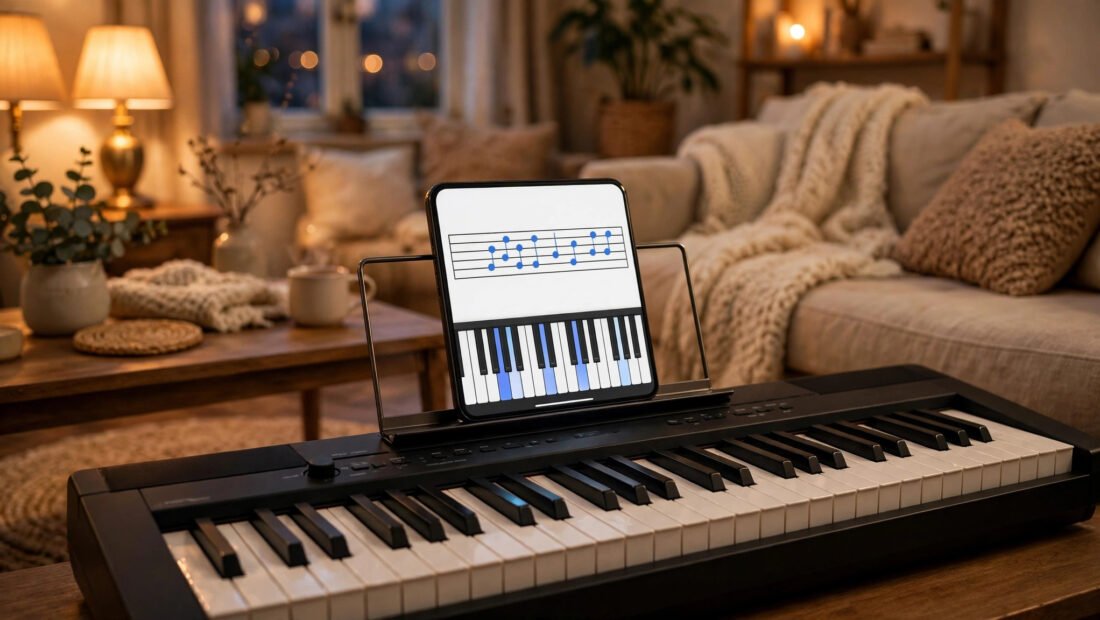
Apps can’t fix a bad instrument. You don’t need an acoustic piano, but you need weighted or semi-weighted keys — unweighted toy keyboards build finger habits you’ll have to unlearn. In 2026, decent 61-key touch-sensitive keyboards start around $150–$250, and used digital pianos flood Facebook Marketplace (a very buyer’s market — check our guide to starting a vinyl collection on a budget for the same secondhand-market tactics applied to music gear). Connect via USB-MIDI for the best app feedback; microphone listening works but is less precise.
And expand your listening while you learn — exploring new music keeps motivation alive. Our guide on finding new music similar to your favorite bands is perfect for building a practice playlist you’ll actually want to play along with.
Free vs. Paid: When It’s Worth Upgrading
The free stack above carries most beginners 3–6 months. Consider paying when you hit one of these walls: you’ve finished the free lesson libraries and need structured intermediate material; you want real-time feedback on technique (apps like Flowkey’s premium tier still can’t do this well — this is the human-teacher signal); or you need motivation features like streak tracking and guided paths that free apps deliberately withhold. If you do pay, prefer monthly over annual until you’re sure — and never pay for an app you haven’t used free for at least three weeks. The most expensive piano app is the annual subscription you abandon in February. Also remember: a single $50 monthly lesson with a local teacher often delivers more progress than any $15/month app, because nothing diagnoses a collapsing wrist like human eyes.
How to Practice (The Part Apps Don’t Teach)
Apps teach content; they don’t teach practice. The 2026 consensus from music educators (including the Music Teachers National Association): 20–30 focused minutes daily beats 3 hours on Sunday. Practice hands separately before together. Use a metronome (free apps abound) — rhythm problems hide behind “I know the notes.” Record yourself weekly; the playback reveals what your hands won’t admit. And learn to read music alongside playing by ear — ear-only players hit a ceiling that readers sail past.
The NAMM Foundation’s music education resources offer research-backed guidance on effective practice for adult learners, worth an hour if you’re serious.
When to Get a Human Teacher
Apps plateau. The signs: your wrists hurt, your timing won’t stabilize, or you’ve been stuck on the same level for two months. A monthly in-person or video lesson — even just one a month at $40–$60 in most Texas cities — corrects technique problems that apps literally cannot see. Think of it as a tune-up, not a replacement: apps for daily reps, humans for diagnosis. Many teachers now offer affordable monthly check-in formats designed exactly for self-directed adult learners.
Conclusion
The best free apps for learning piano in 2026 are a combination, not a single download: an ad-supported lesson app (Piano Academy, Perfect Piano) for daily instruction, a note-trainer drill app for reading fluency, and structured YouTube courses for depth — all on a weighted keyboard, practiced 20–30 minutes daily with a metronome. That stack costs nothing and outperforms most paid apps used casually. Add a monthly human lesson when you plateau, and you’ve built a complete learning system for the price of one dinner out per month. The apps are the easy part. Showing up daily — even when progress feels invisible — is the real instrument, always.
Frequently Asked Questions
Can I really learn piano with just free apps?
Yes, through the beginner and early-intermediate stages — reading, basic technique, chords, and real songs. You’ll eventually want human feedback for advanced technique, but apps can carry you surprisingly far.
What’s better: Simply Piano or Flowkey?
Both are good; Simply Piano skews more beginner-friendly while Flowkey offers deeper song libraries. Their free tiers are limited, so try both free before paying for either.
Do I need a real piano to use piano apps?
No, but you need weighted or semi-weighted keys for proper technique. A $150–$250 touch-sensitive keyboard works; unweighted toy keyboards build bad habits.
How long until I can play a real song?
Most consistent beginners play simple songs within 2–4 weeks and satisfying arrangements within 3–6 months, practicing 20–30 minutes daily.
How do I stay motivated as an adult beginner?
Learn songs you actually love as early as possible — nothing sustains practice like playing music you would listen to anyway. Track your streak, record monthly progress videos, and forgive missed days; consistency over months matters, not perfection over weeks.
Are falling-note apps (like Synthesia) bad?
Not bad — just incomplete. They’re great for learning specific songs quickly but don’t teach reading or theory. Use them as a supplement, not your curriculum.