One drive spins. The other does not. Nearly every difference between an SSD and a hard drive for gaming flows from that single fact, and it is why the gap between them feels so much bigger than a normal hardware upgrade. If you are weighing the two for a gaming machine in 2026, here is how they actually compare where it matters: loading, what happens inside the game while you play, the tiers within SSDs themselves, and the one job where the old spinning drive still earns its place.
The Mechanism First
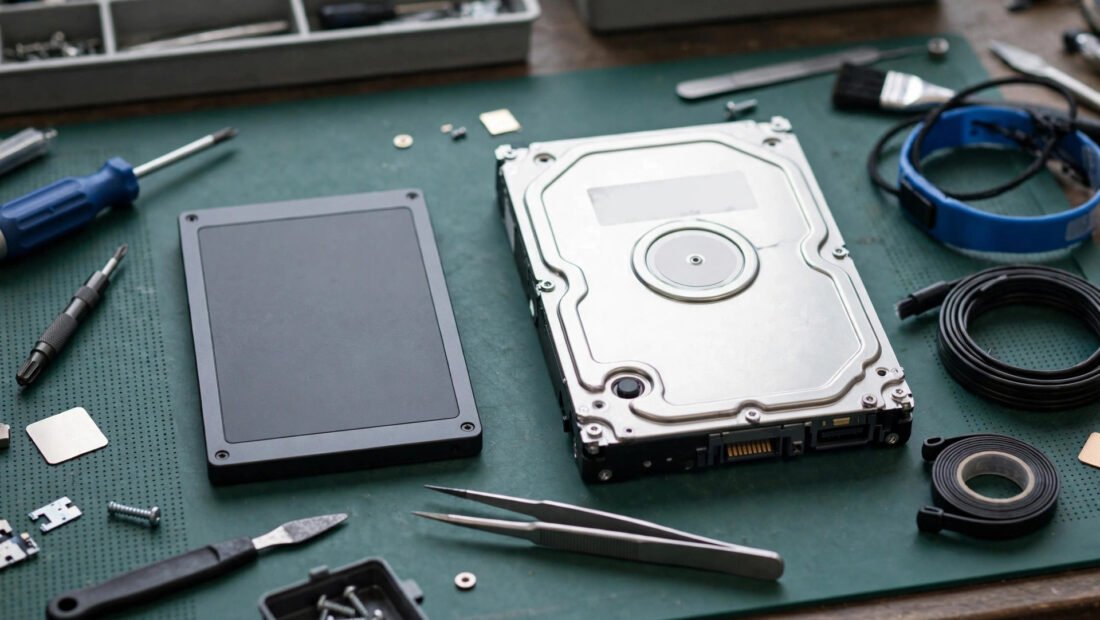
A hard drive, or HDD, stores your games on spinning metal platters. A small moving head travels across those platters to find each piece of data, the way a needle finds a spot on a record. Every file your game needs begins with a physical journey: the platter spins to the right place and the head moves to meet it. That journey takes time, and when a game asks for hundreds of small files scattered across the disk, the journeys stack up.
An SSD, or solid-state drive, stores data on flash memory chips. There are no platters, no head, and no journey. Any piece of data can be reached at once, in whatever order the game asks for it. That is the whole secret. The SSD is not a faster version of the same machine. It is a different kind of storage that skips the mechanical step entirely, and gaming, which constantly fetches textures, sound, and pieces of the world, feels that skip everywhere.
Load Times: The Headline Difference
Loading is where the comparison stops being close. Across real games, SSDs commonly cut loading times by half to four-fifths compared with hard drives. A level that takes a full minute to load from a hard drive might take well under twenty seconds from an SSD. Some loads shrink so far that the hint screen games show while you wait never really appears. You press the button and you are playing.
Count what that means across an evening. It is not one loading screen saved. It is the start of the game, every level change, every fast travel, every respawn after a death, repeated for hundreds of hours a year. A hard drive taxes each of those moments. An SSD mostly deletes them. For a player with an hour after work, the difference is not convenience. It is the difference between spending that hour playing and spending a noticeable share of it watching progress bars. General background reading such as Encyclopaedia Britannica’s explainers on computer storage and memory covers how these storage types developed, but the stopwatch in your own games tells the story more plainly than any history can.
Beyond Loading: What Changes Inside the Game
The subtler difference shows up after the loading screen ends. Modern games stream data while you play. As you sprint through a city or drive across open country, the game pulls in textures and scenery just ahead of you and drops what you left behind. A hard drive often cannot keep up with that flow. The results have names every player knows: texture pop-in, where a building arrives blurry and sharpens late, and stutter, where the game hitches as a new district loads in a hurry.
An SSD keeps up. Texture streaming arrives on time instead of late, open worlds stop stuttering as new areas load, and movement through the world feels smooth in a way that has nothing to do with your graphics settings. Respawns and fast travel also respect your evening instead of taxing it. Death in a hard game is annoying enough without a long wait stapled to it, and quick returns keep the rhythm of play intact.
Then there is the console fact that settled the argument for the whole industry. The current generation of consoles is built around fast SSDs as standard equipment, not as an upgrade. Developers design their games expecting that speed to be there. More and more PC releases now list an SSD as a requirement rather than a recommendation, because the game was built assuming data could stream in fast. A hard drive in a new gaming PC is no longer a thrifty choice. Increasingly, it is a part that holds the rest of the machine below the level the games were designed for.
The Tiers, Honestly Separated
Not every SSD is equally fast, and this is where honest separation matters. A SATA SSD, the older style that connects like a hard drive, runs at roughly 500 to 550 megabytes per second. NVMe drives, which connect directly to the motherboard through a faster path, run at several thousand megabytes per second, and the quickest models go well beyond that.
Those numbers look like an enormous gap, so here is the gaming truth about them. The jump from a hard drive to any SSD is enormous. The jump from a SATA SSD to the fastest NVMe drive is small in most games today. A SATA drive already removes the mechanical delay that caused the long loads and the stutter, so most of the benefit arrives with it. NVMe shaves loads further and is the better buy for a new build, since prices have narrowed, but a player moving from SATA to NVMe should expect a modest gain, not another transformation. Anyone weighing a similar move on an older machine can read about whether an HDD to SSD upgrade is worth it on an old laptop for the practical side of that decision.
Where the Hard Drive Is Not Dead
For all of that, do not throw the spinning drive out of the house. A hard drive still wins clearly on cost per terabyte, and that makes it the right tool for bulk storage. A media library of films and music does not need instant access. A shelf of older games that load happily the old way does not need premium space. Backups, above all, belong on cheap, roomy storage, because a backup drive spends its life waiting, not performing.
The sensible layout for many players in 2026 is both drives, each doing the job it is good at. The SSD holds the system and the games in active rotation. The hard drive holds the archive: the library, the media, the copies of things you cannot replace. Demoted is not the same as dead. The hard drive has simply stopped being the place games should live.
Fitting Notes That Protect the Upgrade
Three small habits keep an SSD running at the speed you paid for. First, leave TRIM on. TRIM is the housekeeping routine that lets the drive clear space properly, and it is automatic in Windows 10 and 11, so for most people this means simply not turning it off. Second, leave 10 to 15 percent of the drive empty. A completely full SSD slows down, because it has no breathing room to organize its data, so treat the last slice of capacity as reserve rather than storage. Third, decide between cloning and a fresh install when you move to the new drive. Cloning copies your system over as it is, fast and familiar, including its accumulated clutter. A fresh install takes longer but starts clean. Either can be right; the mistake is filling the new drive to the brim in the first week whichever route you choose.
Capacity: The Quiet Part of the Choice
Speed gets the attention, but capacity decides how the drive feels six months after you buy it. Modern games are large, and a drive that is nearly full causes two problems at once. The first is simple juggling: every new release means deleting something you may want again, then downloading it a second time later. The second is the fullness slowdown already mentioned, since an SSD with no free space to work in loses some of the speed that made it worth buying. That is why the 1 to 2 terabyte range matters in the recommendation below. It is not about hoarding games. It is about keeping enough headroom that the drive stays fast and your library stays where you left it.
This is also where the two-drive layout pays off a second time. Move the finished games and the media archive onto the hard drive and the SSD keeps its breathing room without any painful deletions. The games you are actively playing stay on the fast drive, where load times and streaming benefit. The games you might return to next year wait on cheap storage, a short transfer away. Each drive ends up doing what it does best, and neither one is asked to be something it is not.
Recommendation
For gaming, buy a 1 to 2 terabyte NVMe SSD as your main drive. One terabyte is the practical floor now that single games routinely take up a large share of a smaller drive, and two terabytes buys real comfort if the budget allows. Put your system and your active games on it. Keep or add a hard drive only for archive duty: media, older titles, and backups, where its low cost per terabyte still wins.
The verdict underneath that recommendation is simple. For gaming, the SSD is not the upgrade anymore. It is the baseline. Consoles assume it, developers design for it, and a growing list of games require it. The only real question left is which tier of SSD you buy, and for most players the answer is a roomy NVMe drive, with the old spinning disk retired to the storage jobs it still does well.